You’ve started trading cryptocurrency, but you’re quickly realizing that staring at basic exchange charts and refreshing CoinMarketCap every five minutes isn’t a sustainable strategy. Professional traders seem to have an edge with crypto trading tools – they spot opportunities earlier, manage risk better, and somehow track dozens of positions across multiple platforms without losing their minds.
Here’s what separates amateur traders from professionals: the right crypto trading tools. These aren’t magic solutions that guarantee profits, but they’re force multipliers that turn hours of manual work into minutes of informed decision-making.
The difference between a trader using basic exchange interfaces and one leveraging specialized tools is like the difference between using a calculator and an Excel spreadsheet.
After ten years of teaching cryptocurrency fundamentals and testing hundreds of platforms, I’ve identified the ten essential crypto trading tools that actually matter. These aren’t the flashiest or most expensive options – they’re the foundational platforms that serious traders use daily, from charting and analytics to automation and compliance.
This guide breaks down each tool’s purpose, shows you exactly how to integrate them into your workflow, and provides transparent pricing so you can build a stack that fits your budget.
📋 Quick Overview: TradingView (charting), Binance/Kraken (execution), Nansen (on-chain analytics), Etherscan (verification), CoinGecko (portfolio tracking), MetaMask + Ledger (wallet security), 3Commas (automation), CoinMarketCap (research), DeFiLlama (DeFi tracking), and CoinTracker (tax compliance).
Table of Contents
- Why Crypto Trading Tools Matter
- 1: Charting & Technical Analysis – TradingView
- 2: Centralized Exchanges – Binance, Coinbase, Kraken
- 4: Block Explorers – Etherscan & Chain Equivalents
- 5: Portfolio Trackers – CoinGecko, CoinMarketCap, Zapper
- 6: Wallets – MetaMask (Hot) + Ledger/Trezor (Cold)
- 7: Trading Automation & Bots – 3Commas, Pionex, Bitsgap
- 8: Market Research Tools – Messari, Token Terminal
- 9: DeFi & Liquidity Trackers – DeFiLlama, DEXTools
- 10: Tax & Accounting Tools – CoinTracker, Koinly, CoinLedger
- How to Build Your Crypto Trading Stack
- How to Evaluate Any Crypto Trading Tool
- Common Mistakes & Safety Guardrails
- Frequently Asked Questions
- Your 2025 Crypto Trading Toolkit
- About This Guide
- References
Why Crypto Trading Tools Matter
Cryptocurrency markets operate 24/7 across hundreds of global exchanges with thousands of trading pairs. Unlike traditional markets with 6.5-hour trading days, crypto never sleeps. This constant activity makes manual monitoring impossible for individual traders.
Professional traders don’t have superhuman abilities – they leverage specialized crypto trading tools that automate analysis, aggregate data, and execute strategies while they sleep. The right tools transform overwhelming information into actionable insights.
Consider what happens without proper tools. You’re checking prices on one exchange, analyzing charts on another platform, manually tracking your portfolio in a spreadsheet, and hoping you remember to log everything for tax season.
Meanwhile, an opportunity emerges on a different exchange, but you don’t notice until it’s gone.
Now imagine this workflow: Your charting platform alerts you to a breakout, on-chain analytics show smart money accumulating, your bot executes the strategy you programmed, your portfolio tracker updates automatically, and your tax software logs the transaction.
This is the difference proper crypto trading tools make.
The evolution from manual to tool-assisted trading isn’t optional anymore – it’s necessary for survival. The traders consistently profiting aren’t the ones working harder; they’re the ones working smarter with the right technology stack.
1: Charting & Technical Analysis – TradingView
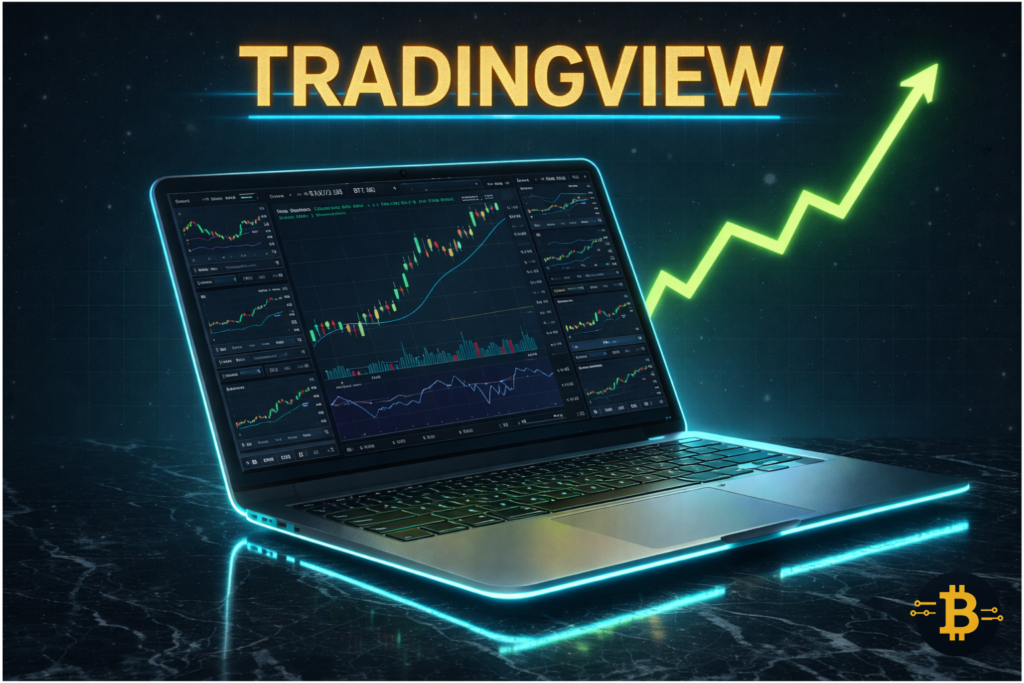
TradingView has become the undisputed standard for crypto charting, trusted by over 100 million traders worldwide. Unlike basic exchange charts, TradingView transforms raw price data into actionable intelligence through advanced technical analysis tools.
Why TradingView Dominates Crypto Charting
Professional traders need more than candlesticks and volume bars. TradingView delivers 100+ built-in technical indicators including RSI, MACD, Bollinger Bands, and moving averages. You can set customizable alerts that trigger on specific price movements or indicator conditions. The platform’s Pine Script language lets you code your own custom strategies and indicators.
Integration is where TradingView truly shines. The platform connects directly to major exchanges like Binance, Bybit, and Kraken, meaning you can analyze and execute trades without switching tabs.
For crypto traders tracking multiple altcoins or monitoring arbitrage opportunities across exchanges, this streamlined workflow is essential.
In 2025, TradingView added multi-chart layouts for analyzing up to eight assets simultaneously. This matters when you’re comparing Bitcoin’s movement against Ethereum, Solana, and altcoins to spot market-wide trends versus isolated pumps.
Key Features for Crypto Traders
The drawing tools let you mark support and resistance levels, draw trendlines, and identify chart patterns visually. The social features allow you to follow experienced traders, see their published ideas, and learn from their analysis – though always verify before blindly following anyone.
The alert system is particularly powerful. You can set complex conditional alerts like “notify me when Bitcoin crosses above $105,000 AND RSI exceeds 70.” These alerts hit your phone via Telegram or email, catching opportunities without constant chart monitoring.
How to Set Up Your First TradingView Chart
Start with a clean daily chart of Bitcoin. Add three indicators: 50-period moving average, 200-period moving average, and RSI (14). This simple setup shows you the long-term trend, intermediate trend, and momentum – everything you need for basic analysis. Once comfortable, explore additional indicators, but resist the urge to clutter your chart.
Tip: Most beginners overwhelm themselves with indicators. Start with just candlesticks, RSI, and the 50/200 moving averages. Master reading these in different timeframes – 1-hour, 4-hour, and daily – before adding complexity. Overloaded charts create analysis paralysis, not better decisions.
Pricing: Free (basic features, delayed data), Pro $14.95/month (real-time data, 5 indicators per chart), Pro+ $29.95/month (10 indicators, multiple charts), Premium $49.95/month (25 indicators, advanced features)
The free version suffices for beginners learning chart reading. Serious traders benefit from Pro’s real-time data and multiple simultaneous charts.
2: Centralized Exchanges – Binance, Coinbase, Kraken
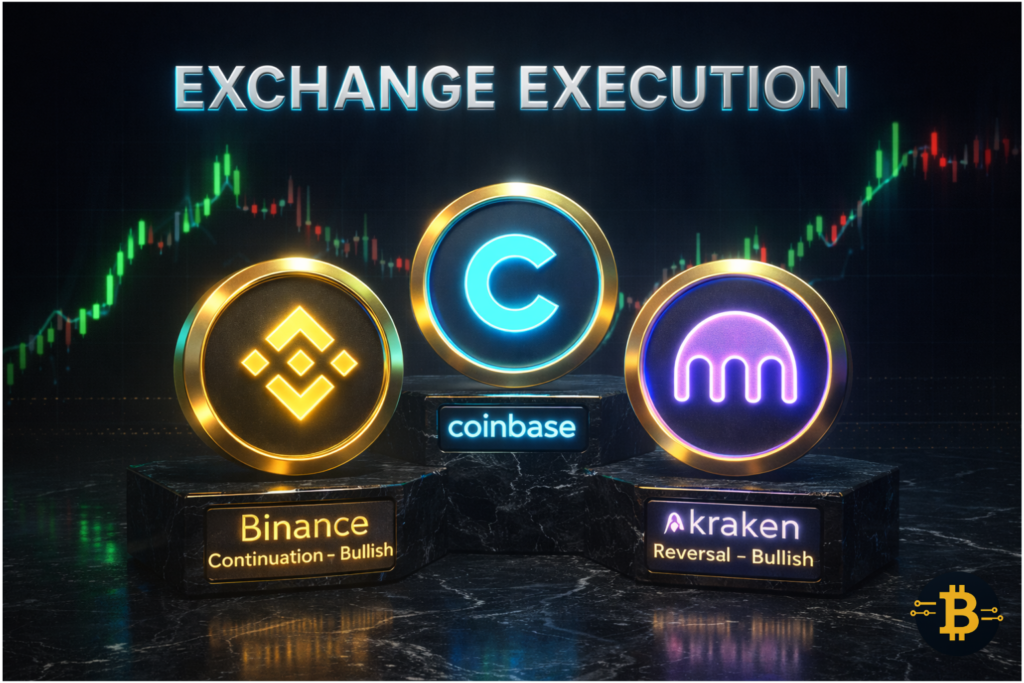
Exchanges are where theory meets execution. You can have perfect analysis, but without reliable access to liquidity and fast order execution, opportunities slip away. Your choice of crypto exchange significantly impacts your trading success.
Execution Speed and Liquidity Comparison
Binance dominates global crypto trading volume, processing over $20 billion daily across hundreds of trading pairs. This deep liquidity means your orders execute at the prices you expect without significant slippage. For altcoins, Binance typically offers the tightest spreads and fastest fills.
Coinbase serves as the gateway for institutional and US-based retail traders. It offers fewer trading pairs but superior regulatory compliance, FDIC insurance on USD balances, and a more beginner-friendly interface. If you prioritize regulatory clarity over maximum trading options, Coinbase is the safer choice.
Kraken balances Binance’s variety with Coinbase’s security focus. It offers extensive trading pairs, futures markets, staking services, and has maintained a strong security record since 2011. For traders wanting advanced features without sacrificing reputation, Kraken delivers.
Fee Structures and Cost Optimization
Understanding fee structures saves thousands over time. Binance charges 0.1% maker/taker fees on spot trades, reduced to 0.075% with BNB payment. Coinbase charges 0.6% maker, 0.8% taker on Coinbase Pro (now Advanced Trade). Kraken sits between these at 0.16% maker, 0.26% taker.
The difference compounds quickly. Trading $100,000 monthly on Coinbase costs $600-800 in fees. The same volume on Binance costs $75-100. Over a year, that’s $6,000 versus $900-1,200 – enough to justify learning a slightly more complex interface.
Which Exchange for Your Trading Style?
Day traders prioritizing speed and variety gravitate toward Binance. The platform’s advanced order types, leverage options, and extensive altcoin listings serve active traders. However, regulatory uncertainty in some jurisdictions adds risk.
Long-term investors and cautious traders prefer Coinbase’s regulated environment and insurance protections. The higher fees are acceptable for peace of mind and simplified tax reporting.
DeFi-focused traders often use Kraken for its balance of features and reliability. The platform supports direct staking for many tokens, providing yield while maintaining centralized exchange convenience.
Tip: Maintain accounts on two exchanges minimum – one primary, one backup. Exchange downtime, maintenance, or withdrawal issues happen. Having a funded backup exchange prevents missed opportunities when your primary platform has issues. Most people use Binance primary, then Kraken, Bitget, Bybit, and the rest as backup.
Pricing: Trading fees vary by platform (0.1%-0.8%), volume tier, and payment method. All major exchanges are free to join.
3: On-Chain Analytics – Nansen, Glassnode, Dune

On-chain analytics represent the cryptocurrency edge traditional markets lack. Every transaction, wallet balance, and smart contract interaction is publicly recorded on blockchains. The question is: can you make sense of this data deluge?
What Is On-Chain Analytics?
On-chain analytics tools process blockchain data to reveal patterns invisible from price charts alone. They track whale wallets, identify smart money accumulation, monitor exchange inflows/outflows, and analyze network health metrics. This is equivalent to seeing institutional order flow in traditional markets – information retail traders rarely access elsewhere.
When Bitcoin’s price consolidates, on-chain data shows whether whales are accumulating (bullish) or distributing (bearish). When an altcoin pumps, you can verify whether it’s driven by organic demand or wash trading. This context transforms speculation into informed decision-making.
Tracking Smart Money with Nansen
Nansen categorizes 500+ million wallet addresses, labeling them as “Smart Money,” “Fund,” “Whale,” or other tags. You can see what tokens these sophisticated wallets are accumulating before price movements become obvious on charts. The platform tracks NFT smart money, DeFi protocol flows, and emerging trends across Ethereum, Polygon, BNB Chain, and other networks.
The “Token God Mode” feature provides comprehensive token analysis – holder distribution, smart money movements, exchange flows, and centralization risks. Before buying any altcoin, checking its Nansen profile reveals whether it’s genuinely accumulating or primarily held by a few addresses (red flag).
Glassnode focuses on Bitcoin and Ethereum network fundamentals. Metrics like MVRV ratio, exchange balances, miner flows, and long-term holder behavior predict macro trends. While Nansen excels at identifying emerging opportunities, Glassnode helps time larger market cycles.
Practical Workflow: From Signal to Trade
Here’s my actual workflow: Nansen alerts me that smart money wallets accumulated 5,000 ETH of a specific DeFi token over 48 hours. I open the token’s page, verify holder distribution isn’t concentrated, check exchange outflows (tokens leaving exchanges = bullish), then examine the project’s fundamentals on Messari.
If everything aligns, I review the chart on TradingView for technical entry points. Only after this multi-tool verification do I execute.
This process takes 10-15 minutes but filters out 90% of low-quality opportunities. Random crypto Twitter shilling never triggers trades – only multi-tool confirmation does.
Tip: On-chain data leads price action but doesn’t guarantee immediate results. Smart money might accumulate for weeks before a token moves. Use on-chain analytics for position building and conviction, not day-trading signals. Nansen can flag accumulation three weeks before a 200% rally – early information, not instant gratification.
Pricing: Nansen starts at $150/month (Lite), Glassnode at $29/month (basic metrics). Dune Analytics offers free basic access, paid plans for advanced features. These are professional-grade tools with professional-grade pricing.
4: Block Explorers – Etherscan & Chain Equivalents
Block explorers are the cryptocurrency equivalent of opening the hood to inspect an engine. They let you verify every transaction, examine smart contracts, and spot red flags before interacting with tokens or protocols.
Verifying Transactions and Contracts
Every blockchain has an official block explorer. Etherscan for Ethereum, BscScan for BNB Chain, Solscan for Solana, Polygonscan for Polygon. These tools display complete transaction histories, token transfers, contract code, and wallet balances – all publicly verifiable.
When someone sends you a transaction hash, paste it into the relevant explorer to confirm the transaction actually occurred, verify the amount, and check confirmation status. No trusting exchange support claims – you can see the blockchain truth yourself.
Smart contract verification is equally critical. Before approving any DeFi protocol interaction, check the contract address on Etherscan. Verified contracts display their source code publicly, allowing security researchers to audit them. Unverified contracts are immediate red flags – legitimate projects verify their code.
How to Spot Red Flags Before Trading
Check token holder distribution on the block explorer. If the top 10 wallets hold 80%+ of supply, that’s centralization risk. Creators can dump on you anytime. Healthy distribution shows thousands of holders with no single wallet dominating.
Examine transaction patterns. If a token shows minimal activity except during pump periods, it’s likely manipulated. Organic projects show consistent transaction volume from diverse addresses, not sporadic bursts from few wallets.
Look at the token’s contract creation date and early transactions. Tokens launched weeks ago claiming to be “revolutionary” warrant skepticism. Established projects have months or years of transaction history you can review.
Tip: Before connecting your wallet to any DeFi protocol, copy the contract address from the official website (not Twitter, not a Discord DM), then manually verify it on the block explorer. Compare character by character. Scammers create fake interfaces with similar URLs but point to malicious contracts.
This 30-second verification prevents wallet drainage. An example will be one I saw years back: www.pancakeswap.finance (real) versus www.pancakeswop.com (fake), the difference is the “.finance” versus “.com”, and the “a” that was swapped out for “o” in “swap”.
Pricing: Free. Block explorers are public blockchain infrastructure funded by the networks themselves or through ads.
5: Portfolio Trackers – CoinGecko, CoinMarketCap, Zapper
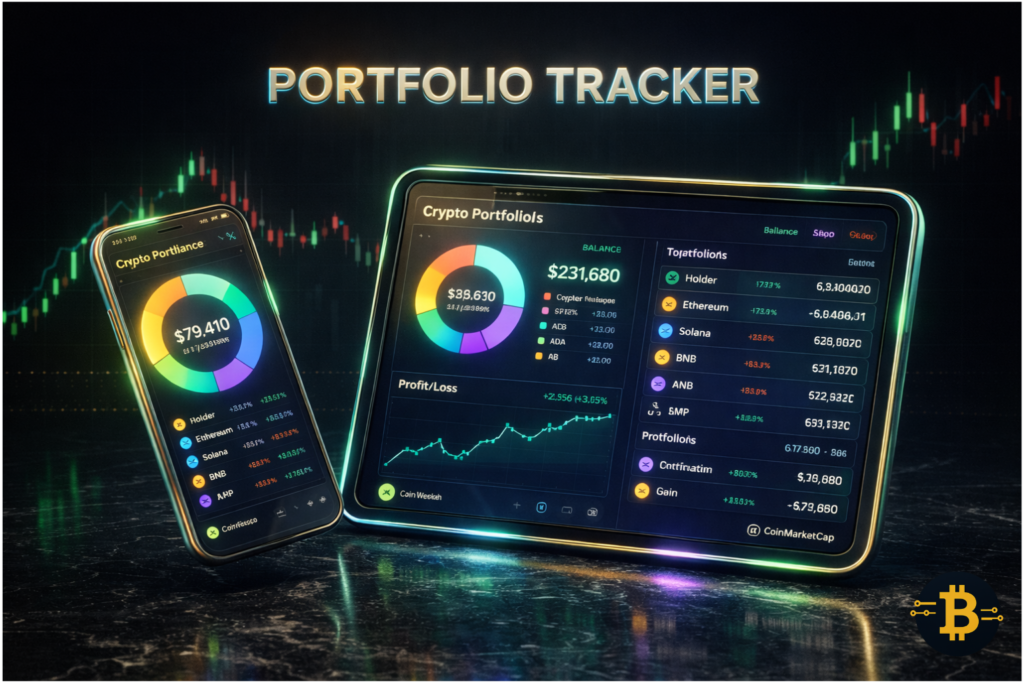
Managing crypto portfolios manually becomes impossible beyond a few positions across different exchanges and wallets. Portfolio tracking tools aggregate everything into a single dashboard, calculating your real-time profit/loss, allocation, and performance.
Real-Time P&L Across Multiple Wallets
CoinGecko and CoinMarketCap both offer portfolio features that sync with exchanges via API or manual wallet address tracking. Connect your Binance account, your MetaMask wallet, and your Ledger addresses – the tracker automatically calculates your total holdings and performance.
This matters more than it sounds. Without aggregated tracking, you’re guessing at your true position. You might show profit on Binance while your DeFi positions are underwater, but you don’t realize it because you’re checking them separately. Portfolio trackers force honest accounting.
Zapper specializes in DeFi positions, tracking liquidity pool shares, staked tokens, and yield farming positions across protocols. It calculates impermanent loss, shows claimable rewards, and displays your full DeFi exposure in USD terms. For DeFi participants, Zapper provides clarity that general portfolio trackers miss.
Setting Up Automated Alerts
Most portfolio trackers let you set alerts for price targets, percentage changes, or portfolio value milestones. When your portfolio drops 10%, you receive a notification. When a specific token reaches your target price, you’re alerted immediately.
These alerts prevent emotional trading. Instead of constantly checking prices (a behavior that leads to impulsive decisions), you set targets and wait for notifications. Your portfolio either hits your targets or it doesn’t – no need for hourly monitoring.
Performance tracking over time shows which strategies actually work. CoinGecko’s charts display your portfolio value historically, helping you identify what decisions added value versus which ones destroyed it. Many traders are shocked when they review their performance objectively – they thought they were profiting but were actually underperforming simple buy-and-hold.
Tip: Manually enter your cost basis accurately when setting up portfolio trackers. The tools can pull current holdings automatically, but they can’t know what you paid unless you tell them. Accurate cost basis is essential for realistic P&L calculations and tax reporting later. Spend the hour entering historical trades properly – future you will thank present you.
Pricing: CoinGecko portfolio features are free. CoinMarketCap offers free basic tracking, paid Diamond membership ($4.99/month) for advanced features. Zapper is free for basic DeFi tracking.
6: Wallets – MetaMask (Hot) + Ledger/Trezor (Cold)
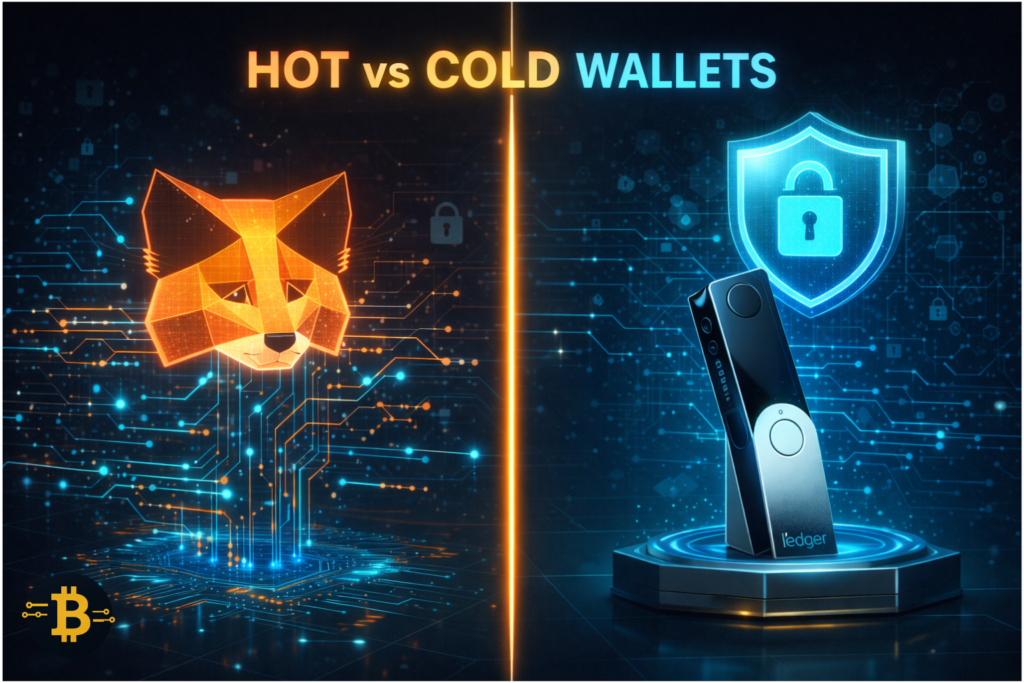
Wallet security represents the difference between maintaining control of your cryptocurrency and losing everything to a single mistake. The right wallet setup isn’t optional – it’s your first line of defense against hacks, phishing, and accidents.
Hot vs Cold Wallet Security Trade-offs
MetaMask serves as the gateway to DeFi, NFTs, and dApps across Ethereum and compatible chains. It’s a “hot wallet” – constantly connected to the internet for maximum convenience. You can interact with any protocol, swap tokens, and approve transactions instantly. This convenience creates vulnerability. Malware, phishing sites, and malicious contract approvals can drain hot wallets.
Ledger and Trezor hardware wallets store your private keys on physical devices that never touch the internet. When you approve transactions, signing happens internally on the device. Even if your computer is compromised with keyloggers and malware, the hardware wallet protects your keys. This security comes with reduced convenience – you need the physical device to transact.
The solution most experienced traders use: Hot wallet for spending money (amounts you actively trade or use for DeFi), cold wallet for savings (long-term holdings you rarely touch). Think of MetaMask as your checking account, Ledger as your savings account.
When to Use Each Wallet Type
Use MetaMask when:
- Trading on decentralized exchanges (Uniswap, SushiSwap)
- Participating in DeFi protocols (lending, yield farming)
- Minting or trading NFTs
- Interacting with dApps that require wallet signatures
- You need speed and frequent transactions
Keep only what you’re willing to lose in a worst-case scenario. For most people, $500-2,000 maximum in hot wallets.
Use hardware wallets when:
- Storing long-term holdings you don’t actively trade
- Amounts exceed $2,000-5,000 (adjust for personal risk tolerance)
- Security matters more than convenience
- You can afford a few extra steps for transaction approvals
Transfer monthly DCA purchases to your hardware wallet. Transfer trading profits above your hot wallet threshold. Treat hardware wallets as your crypto savings account – you can access the funds when needed, but there’s friction that prevents impulsive decisions.
Setup and Security Best Practices
For MetaMask: Download only from the official MetaMask.io website, never from search ads. Create a new wallet, securely back up your seed phrase offline (never digitally), enable password protection, and consider using separate wallets for different purposes (one for trusted protocols, one for experimental projects).
For hardware wallets: Purchase directly from manufacturers (Ledger.com, Trezor.io), never from Amazon or resellers. Initialize the device yourself – it should arrive sealed and uninitialized. Create your own PIN and seed phrase. Store seed phrase backups in multiple physical locations (fireproof safe, safety deposit box).
Tip: The biggest hardware wallet mistake is keeping seed phrases digitally “for convenience.” Photographing your seed phrase or storing it in iCloud defeats the entire security model. If your seed phrase touches anything internet-connected, assume it’s compromised. Write it on paper, stamp it on metal plates, or use a cryptographic seed splitting method – but never digital storage.
Pricing: MetaMask is free. Hardware wallets cost $50-200 depending on model (Ledger Nano S $79, Ledger Nano X $149, Trezor Model One $69, Trezor Model T $219).
7: Trading Automation & Bots – 3Commas, Pionex, Bitsgap
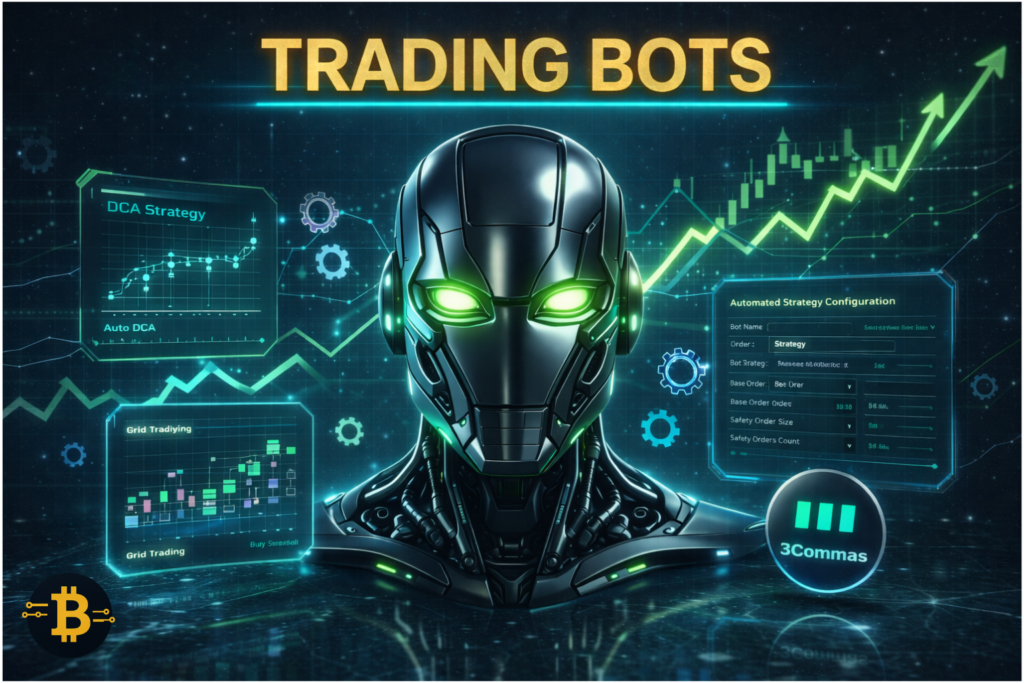
Trading automation isn’t about “getting rich while you sleep” – it’s about executing predefined strategies consistently without emotional interference. Crypto trading bots follow your instructions exactly, eliminating the fear and greed that destroy most traders.
DCA, Grid, and Take-Profit Strategies
Dollar-Cost Averaging (DCA) bots automatically buy fixed dollar amounts at regular intervals, regardless of price. Instead of trying to time the market perfectly, DCA bots accumulate positions systematically. A bot might buy $100 of Bitcoin every Monday for a year, averaging out volatility and removing emotional decision-making.
Grid trading bots profit from volatility by placing buy and sell orders at predetermined price intervals. If Bitcoin oscillates between $95,000-$105,000, a grid bot places multiple buy orders from $95K-$100K and sell orders from $100K-$105K. Each completed cycle captures small profits. This works beautifully in ranging markets.
Smart Take-Profit/Stop-Loss bots automatically sell portions of your position at different price levels. You might program: “Sell 25% at 20% profit, 25% at 40% profit, 25% at 60% profit, keep final 25% with trailing stop.” The bot executes this plan emotionlessly while you sleep.
Backtesting Basics for Beginners
3Commas and most bot platforms let you backtest strategies against historical data. Before risking real money, test your grid or DCA parameters on the past six months of price action. Did the strategy profit? How much drawdown occurred? How many trades executed?
Backtesting isn’t perfect – past performance doesn’t guarantee future results, and backtests don’t account for fees or slippage. However, they reveal obviously bad strategies before they cost money. If your grid bot loses money in a backtest, it’ll probably lose in live trading too.
API Key Safety Best Practices
Trading bots require API keys to access your exchange account. This creates massive security risk if mishandled. Always enable only the permissions bots actually need. For portfolio tracking, use “Read Only” access. For trading bots, enable “Trade” permission but disable “Withdraw.”
A properly configured API key lets bots trade on your behalf but prevents them from withdrawing funds. Even if the bot platform gets hacked or your account compromised, attackers can’t steal your crypto – they’d need withdrawal permissions you never granted.
Generate unique API keys for each bot or service. Don’t reuse the same key across platforms. If one service gets compromised, you can revoke that specific key without affecting your other tools.
Tip: Start with paper trading or tiny amounts ($50-100) to test your bot configuration. Bots do exactly what you program – they won’t save you from bad strategy. I’ve seen beginners lose thousands by deploying bots with poor parameters they never backtested. Run your bot for 2-4 weeks with small capital before scaling up. Verify it behaves as expected before trusting significant funds.
Pricing: 3Commas Starter $29/month, Advanced $49/month, Pro $99/month. Pionex is free (earns from exchange trading fees). Bitsgap Basic $25/month, Advanced $48/month, Pro $99/month.
8: Market Research Tools – Messari, Token Terminal

Technical analysis and on-chain data show you what’s happening with price and flows. Fundamental analysis shows you why it matters. Research tools help you evaluate projects beyond the hype, understanding tokenomics, team background, and actual product traction.
Fundamental Analysis: Supply, Team, Tokenomics
Messari aggregates comprehensive crypto project data – team members, fundraising history, token distribution, release schedules, governance structures, and detailed project descriptions. Before investing in any altcoin, Messari helps answer: Who created this? What problem does it solve? How is value distributed?
Token Terminal focuses on protocol revenue, usage metrics, and fundamental valuation. It displays actual cash flows (fees generated), active users, transaction volumes, and compares protocols by metrics like price-to-fees ratio. This data reveals which projects have real traction versus empty promises.
When researching tokens, check these fundamentals:
Token supply: Circulating supply vs. total supply. Large unlock events ahead? Team/investor tokens vesting soon? These scheduled unlocks create selling pressure.
Token utility: Does the token actually do something in the protocol, or is it just a speculative vehicle? Tokens with clear utility (governance, fee reduction, staking rewards) tend to maintain value better.
Team and investors: Doxxed team with track records? Reputable VCs backing the project? Anonymous teams aren’t automatically scams, but they increase risk.
Checking Token Unlock Schedules
Token unlocks are scheduled events where previously locked tokens become tradeable. When a project’s early investors get their tokens unlocked, they often sell immediately, creating massive downward pressure.
Messari displays unlock schedules clearly. If a token shows a 30% supply increase in two weeks from investor unlocks, that’s critical information. Buy pressure rarely absorbs large sudden unlocks without price impact.
I’ve watched tokens pump 50% before scheduled unlocks, then crash 60% when early investors dumped. Checking unlock schedules before entering positions prevents walking into obvious traps.
Tip: Most traders chase tokens after they’ve already pumped, ignoring fundamentals. Reverse this approach: use Messari to identify fundamentally solid projects, then wait for technical setups on TradingView. Combining fundamental conviction with technical entry timing dramatically improves your odds.
Only buy tokens you’d be comfortable holding through a 50% drawdown – that’s a fundamental conviction standard.
Pricing: Messari offers free basic access, Pro subscription $24.99/month. Token Terminal is free for basic metrics, premium features require signup.
9: DeFi & Liquidity Trackers – DeFiLlama, DEXTools
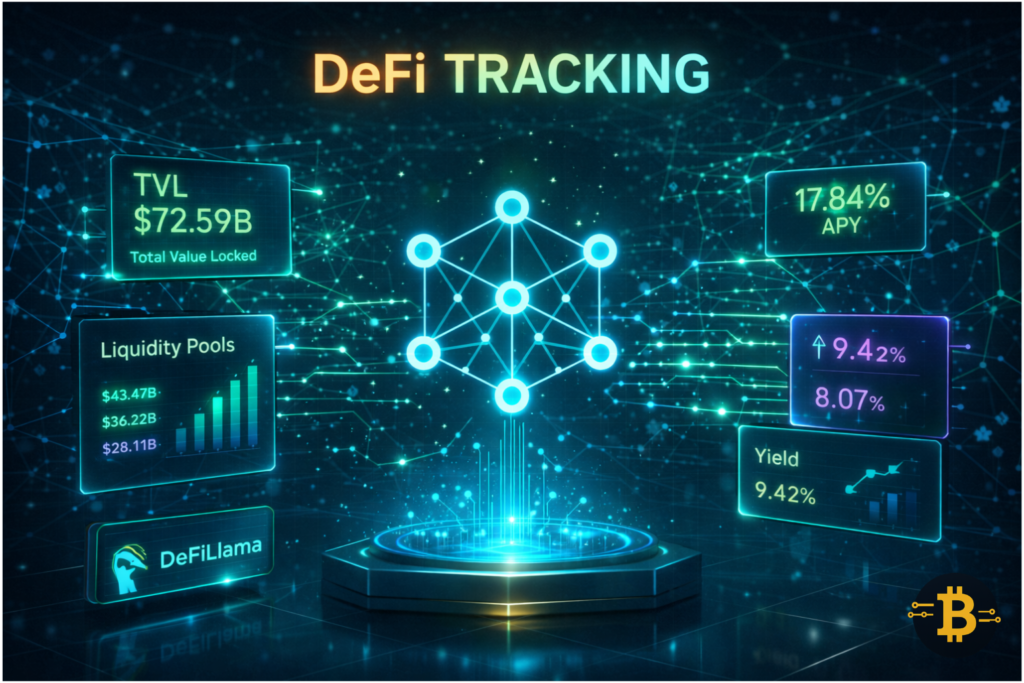
Decentralized finance requires specialized tools beyond what centralized exchange traders need. DeFi protocols involve smart contracts, liquidity pools, yield farms, and bridging across chains – complexity that demands proper tracking.
Understanding TVL and Protocol Health
Total Value Locked (TVL) measures how much capital is deposited in a DeFi protocol. High TVL signals trust – users are willing to lock funds in the protocol. Declining TVL suggests users are exiting, potentially indicating issues or better opportunities elsewhere.
DeFiLlama aggregates TVL across all major DeFi protocols and chains. You can compare protocols, track TVL changes over time, and identify emerging opportunities. The platform covers everything from established protocols like Aave and Uniswap to new launches across Ethereum, Arbitrum, Optimism, Polygon, and dozens of other chains.
Chain-specific TVL shows where capital is flowing. If Arbitrum TVL increases 40% in a month while Ethereum TVL stays flat, that migration signals changing trader preferences – likely due to lower fees or new opportunities.
DEXTools focuses on decentralized exchange trading, particularly newer tokens that haven’t reached centralized exchanges yet. It provides real-time charts, liquidity tracking, holder analysis, and social metrics for tokens trading on Uniswap, PancakeSwap, and other DEXs. For traders hunting early opportunities, DEXTools reveals which new tokens show organic traction versus wash trading.
Finding Yield Opportunities Safely
DeFi yield farming promises high returns but carries significant risks – smart contract bugs, impermanent loss, rug pulls, and protocol hacks. DeFiLlama helps you evaluate opportunities systematically.
Check protocol age and audit status. New protocols offering 500% APY are extremely risky. Established protocols with multiple security audits and years of operation are safer (though never risk-free).
Understand yield sources. Is the 200% APY coming from protocol fees (sustainable) or token emissions (unsustainable)? Emission-based yields collapse as tokens get dumped, destroying any gains you made.
Calculate impermanent loss risk. Providing liquidity to volatile trading pairs creates impermanent loss – you could earn 50% APY but lose 60% to impermanent loss if one token crashes. DeFi education is essential before yield farming.
Tip: Never put more than 5-10% of your portfolio in any single DeFi protocol, regardless of the yield. “Blue-chip” protocols get hacked, causing total loss for liquidity providers. Diversify across multiple protocols, never chase the absolute highest yields, and always maintain significant holdings in simple strategies like basic spot holdings or established lending protocols.
Pricing: DeFiLlama is completely free. DEXTools offers free basic features, premium subscription $49/month for advanced charts and features.
10: Tax & Accounting Tools – CoinTracker, Koinly, CoinLedger

Cryptocurrency tax compliance isn’t optional – it’s legally required in most jurisdictions. The IRS treats cryptocurrency as property, meaning every trade, swap, and DeFi transaction is a taxable event. Tracking this manually is practically impossible for active traders.
Why Tax Software Is Non-Negotiable
Imagine filing taxes manually: downloading CSV exports from five exchanges, sorting through hundreds of trades, calculating cost basis for each sale using FIFO or HIFO methodology, accounting for forks and airdrops, reporting DeFi yield… Most accountants won’t touch crypto because it’s too complex.
Crypto tax software automates this nightmare. You connect your exchange accounts via API, import wallet addresses, and the software reconstructs your complete transaction history. It calculates capital gains, identifies income events, generates tax forms, and produces reports your accountant can actually use.
The IRS increasingly pursues crypto tax enforcement. Exchanges report your transactions to tax authorities. Claiming ignorance doesn’t work – you’re legally responsible for accurate reporting whether or not you received 1099 forms.
Exporting Data Across Exchanges
CoinTracker, Koinly, and CoinLedger all support major exchanges and wallets. Connect Binance, Coinbase, Kraken, MetaMask, and your hardware wallet addresses. The software automatically imports historical transactions, sometimes going back years.
For DeFi transactions, import your wallet addresses. The software pulls on-chain data, categorizing swaps, liquidity pool deposits, staking rewards, and yield. This comprehensive reconstruction means you’re not guessing at tax obligations – you have accurate records.
Different cost basis methods (FIFO, LIFO, HIFO, Specific ID) can dramatically impact your tax bill. These tools let you compare methods and choose the most advantageous legal approach. HIFO (highest in, first out) often minimizes taxes by selling your most expensive purchases first.
Quarterly Reconciliation Best Practices
Don’t wait until April to check your taxes. Reconcile quarterly – review your gains/losses, ensure all transactions imported correctly, identify any missing data. This prevents last-minute panic when you discover your cost basis is missing for 200 trades.
Quarterly review also helps tax planning. If you’re showing large gains, you might strategically harvest losses in December to offset them. If you’re down, you could sell losing positions for tax-loss harvesting while buying back after 30 days.
Keep records of airdrops, forks, and hard-to-categorize events with notes. When the IRS questions a transaction three years later, contemporaneous notes prove your position.
Tip: Set up your tax software the moment you start trading, not next April. Every transaction from day one matters for accurate reporting. You don’t want to realise too late that you should have tracked properly – reconstructing years of trades is painful and sometimes impossible if exchanges deleted old data. Start tracking from trade #1, not trade #1,000.
Pricing: CoinTracker starts at $59/year (100 transactions), scaling to $299/year (5,000+ transactions). Koinly starts at $49/year (100 transactions), up to $279/year (10,000+ transactions). CoinLedger offers similar tiered pricing.
How to Build Your Crypto Trading Stack
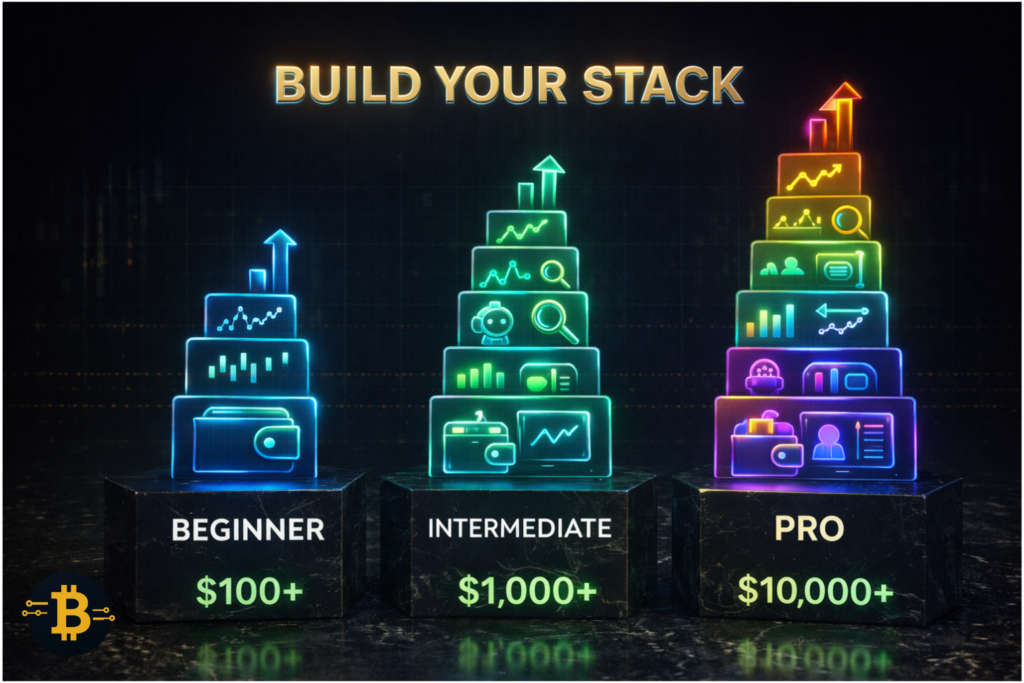
Now that you understand individual tools, let’s combine them into cohesive stacks tailored to different trading styles. Your tools should complement each other, not duplicate effort.
Day Trader Stack (High Activity)
Day traders need speed, precision, and automation for frequent trades across multiple positions.
Essential tools:
- TradingView Pro ($14.95/month) – Multiple charts, real-time alerts
- Binance or Bybit – Low fees, high liquidity, advanced orders
- CoinGecko portfolio (free) – Quick P&L checks
- MetaMask (free) – DeFi opportunities
- 3Commas Starter ($29/month) – Automation, stop-losses
- CoinTracker Basic ($59/year) – Tax tracking for high-volume trades
Total monthly cost: ~$50 + trading fees
Morning workflow: Check TradingView alerts (2 minutes), review CoinGecko portfolio for overnight changes (1 minute), scan Binance for volume spikes (2 minutes), set up 3Commas bots for identified opportunities (3 minutes). Total: 8 minutes of systematic review before trading.
DeFi Trader Stack (Yield Hunter)
DeFi participants need security, protocol monitoring, and specialized tracking beyond what CEX traders require.
Essential tools:
- TradingView Free – Basic charting sufficient
- Nansen Lite ($150/month) – Smart money tracking, protocol flows
- DeFiLlama (free) – TVL monitoring, yield opportunities
- Etherscan (free) – Contract verification
- MetaMask (free) + Ledger Nano X ($149 one-time) – Hot/cold wallet combo
- Zapper (free) – DeFi position tracking
- Koinly Basic ($49/year) – DeFi tax compliance
Total monthly cost: ~$155 + one-time hardware wallet
Weekly workflow: Check DeFiLlama for protocol TVL changes and new opportunities (15 minutes), verify any new protocol contracts on Etherscan before interaction (5 minutes per protocol), review Zapper for position performance and claimable rewards (5 minutes), check Nansen for smart money movements into protocols (10 minutes).
Long-Term HODLer Stack (Low Activity)
Long-term investors need security and periodic rebalancing tools, not day-trading features.
Essential tools:
- TradingView Free – Occasional check-ins
- Coinbase or Kraken – Trusted custody for larger amounts
- Ledger or Trezor ($79-149 one-time) – Cold storage primary strategy
- CoinGecko (free) – Portfolio tracking
- Messari (free) – Project research for new investments
- CoinTracker Basic ($59/year) – Annual tax filing
Total monthly cost: ~$5 + one-time hardware wallet
Monthly workflow: Review portfolio allocation on CoinGecko (5 minutes), check TradingView for major trend changes (5 minutes), DCA purchases transferred to hardware wallet (10 minutes), quarterly rebalancing if needed (30 minutes every 3 months).
How to Evaluate Any Crypto Trading Tool
New crypto trading tools launch constantly, each promising revolutionary features. Use these criteria to separate useful platforms from marketing hype.
Security and Audit Checks
Research the company behind the tool. Established track record or anonymous team? Publicly traded company (like Coinbase) or startup? Location and regulatory compliance? Tools handling your funds or API keys demand higher security standards.
Check for security audits if the tool involves smart contracts. Has Trail of Bits, ConsenSys Diligence, or another reputable firm audited the code? Unaudited DeFi protocols are dangerous.
Review the tool’s security track record. Search for “[Tool Name] hack” or “[Tool Name] exploit.” If they’ve been compromised before, how did they handle it? Did users get made whole or lose funds?
Integration and Compatibility
Does the tool integrate with your existing stack? A charting platform that doesn’t support your exchange or a portfolio tracker that can’t import your wallet addresses creates frustrating gaps.
Check API quality and documentation. Professional tools provide comprehensive APIs letting you build custom workflows. Limited APIs restrict functionality and future flexibility.
Consider cross-chain support if you trade multiple networks. Tools locked to Ethereum miss Solana, Arbitrum, Polygon, and emerging chains where opportunities exist.
Cost vs Value Analysis
Calculate the tool’s ROI. A $150/month Nansen subscription sounds expensive, but if it helps you catch one early opportunity that 5x’s, it paid for itself for years. Compare cost against the value you extract.
Many tools offer free tiers or trials. Test before paying. Use TradingView free for a month before upgrading to Pro. Demo 3Commas paper trading before risking real capital with their bots.
Avoid tool bloat. Don’t subscribe to five different charting platforms or three portfolio trackers. Pick the best in each category and maximize its capabilities rather than spreading thin across mediocre options.
Common Mistakes & Safety Guardrails
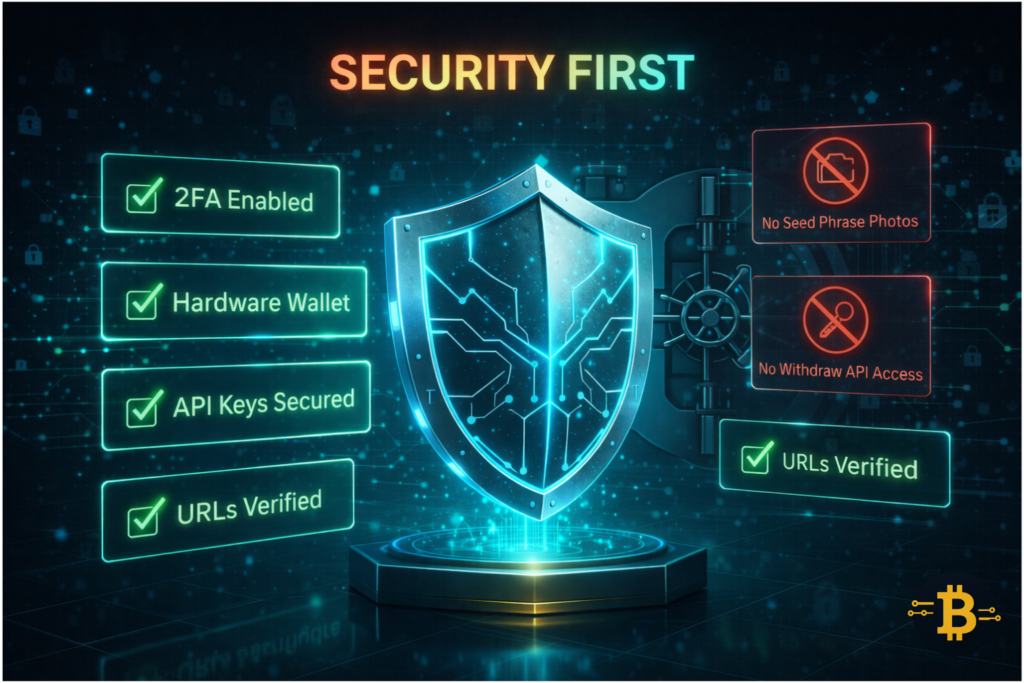
Even with the right tools, improper usage creates risk. These mistakes cost traders thousands – learn from others’ errors.
API Key Security
The biggest bot-related losses stem from improperly configured API keys. Always disable withdrawal permissions on trading bot API keys. Enable only “Read” and “Trade” permissions – never “Withdraw.”
Generate unique API keys for each service. If you’re using 3Commas and CoinTracker, create separate keys for each. When one gets compromised, you can revoke it without affecting other services.
Store API keys securely. Don’t email them to yourself or save them in unencrypted notes. Use password managers for API storage.
Set IP restrictions if your exchange offers them. Restrict API access to specific IP addresses, blocking unauthorized access even if the key leaks.
Avoiding Phishing and Fake Apps
Bookmark official tool websites rather than Googling them each time. Scammers buy ads for “TradingView” and “MetaMask” that lead to fake sites harvesting credentials.
Verify URLs character by character before entering credentials. Legitimate sites: “TradingView.com” / Fake sites: “TradingVlew.com” (l replaced with I), “Trading-View.com” (added hyphen).
Download mobile apps only from official app stores – but verify the developer name. Fake MetaMask apps appear in the Google Play Store regularly. Check that “MetaMask” is published by “MetaMask” (sounds obvious, but scammers create similar developer names).
Never click links in Discord DMs, Telegram messages, or Twitter DMs regarding tools. If someone messages “Your Binance account needs verification, click here,” go directly to Binance.com yourself rather than clicking their link.
Testing with Small Amounts First
Before depositing significant funds into any new platform, test with amounts you’re comfortable losing completely – $50-100 maximum.
Testing verifies: The platform works as advertised, deposits and withdrawals function correctly, customer support responds if issues arise, and you understand the interface before risking serious capital.
I personally test every new tool, exchange, or protocol with $50-100 first. Multiple times, this caution saved me – one “promising” new DEX had withdrawal issues I discovered during testing. Without the test, I might have deposited thousands.
🔐 Security Checklist (Print This):
Before using any tool:
- ✅ Verify official URL (bookmark it, don’t Google it)
- ✅ Check SSL certificate (https://)
- ✅ Enable 2FA on all accounts
- ✅ API keys: “Read Only” for trackers, “Trade Only” for bots (never “Withdraw”)
- ✅ Test with $10-50 before large amounts
- ✅ Never share seed phrases or private keys
- ✅ Use hardware security keys for exchange accounts if possible
Frequently Asked Questions
What crypto trading tools do professional traders use?
Professional crypto traders typically use TradingView for technical analysis and charting, Nansen or Glassnode for on-chain analytics tracking smart money movements, 3Commas or Pionex for automated trading strategies, and CoinTracker for tax compliance.
Most maintain accounts on multiple exchanges like Binance and Kraken for optimal liquidity and pricing. The key difference between professionals and beginners isn’t exotic tools – it’s consistently using foundational platforms with disciplined strategies.
Are free crypto trading tools enough or should I pay for premium versions?
Free tools are sufficient for beginners and casual traders managing under $10,000. TradingView’s free version, CoinGecko portfolio tracking, and exchange access cost nothing and cover core needs. However, serious traders managing $50,000+ benefit significantly from premium features.
TradingView Pro unlocks multiple simultaneous charts and real-time data, Nansen reveals smart money wallet behavior unavailable elsewhere, and trading bots like 3Commas save hundreds of hours monthly through automation. Expect to invest $50-200/month for a professional-grade stack once you’re trading consistently and generating returns that justify the expense.
What’s the best crypto charting platform?
TradingView dominates crypto charting with over 100 million users, offering superior indicators, social features, and exchange integration. However, “best” depends on your needs. Complete beginners might prefer exchange built-in charts (Binance, Coinbase) for simplicity. Experienced traders prioritize TradingView’s Pine Script custom indicators and multi-chart layouts.
CoinigyTrader offers good alternatives focused on exchange integration. For Bitcoin-specific analysis, Glassnode provides charts with unique on-chain metrics. Most serious traders eventually adopt TradingView as their primary platform while supplementing with specialized tools for specific analysis.
How do crypto trading bots work?
Crypto trading bots execute predefined strategies automatically by connecting to exchanges through API keys. You program the bot’s parameters – buy at $95,000, sell at $105,000, place grid orders every $1,000, DCA $100 weekly – and the bot follows instructions exactly without emotion. Bots don’t predict the future; they implement your strategy consistently.
The key is having a profitable strategy first. A bot executing a bad strategy simply loses money faster than you would manually. Proper bot usage means backtesting your strategy, starting small, and treating bots as execution tools, not magic profit machines.
What is on-chain analytics and why does it matter?
On-chain analytics examines blockchain transaction data to reveal patterns invisible from price charts alone. These tools track whale wallet accumulation, exchange inflows/outflows, smart money movements, and network health metrics. This matters because it’s like seeing institutional order flow in traditional markets – information retail traders rarely access elsewhere.
When Bitcoin consolidates, on-chain data shows whether whales are accumulating (bullish) or distributing (bearish). Before altcoins pump, on-chain analysts often spot smart money accumulating weeks earlier. This leading information transforms speculation into informed decisions, though it doesn’t guarantee outcomes or provide precise timing.
Which crypto portfolio tracker is most accurate?
Accuracy depends on proper setup more than platform choice. CoinGecko, CoinMarketCap, Delta, and Blockfolio all calculate portfolios accurately if you input correct cost basis and connect all accounts. The challenge is comprehensive data – many trackers miss DeFi positions, staking rewards, or transactions from smaller exchanges.
For pure accuracy across all activities including DeFi, Zapper (for DeFi) combined with CoinGecko (for centralized holdings) provides the most complete picture. However, tax software like CoinTracker or Koinly often offers the most accurate tracking because it’s designed for regulatory compliance requiring precise calculations.
Manual verification against exchange records catches any discrepancies.
Do I need separate tools for DeFi and CEX trading?
Yes, DeFi trading requires additional tools beyond centralized exchange trading.
For CEX trading, you primarily need charting (TradingView), execution (Binance/Kraken), and portfolio tracking. DeFi adds requirements for wallet management (MetaMask for transactions, Ledger for cold storage), on-chain analytics (Nansen tracking whale movements), DeFi-specific trackers (DeFiLlama for TVL and yield opportunities), and transaction verification (Etherscan validating contracts before interacting). The security and research requirements differ significantly.
Many traders maintain separate tool stacks: CEX focus on speed and leverage, DeFi focus on security and smart contract verification.
How much should I spend on crypto trading tools?
Your tool budget should scale with portfolio size and trading activity. Beginners with under $5,000 invested should stick to free tools – TradingView basic, CoinGecko portfolio, exchange charting. Intermediate traders with $10,000-50,000 might invest $25-75/month for TradingView Pro, basic portfolio tracking, and entry-level bot access.
Serious traders managing $100,000+ can justify $150-300/month for Nansen analytics, premium TradingView, advanced bots, and professional tax software. The general rule: if your tools help you avoid one bad trade or catch one good opportunity monthly, they’ve paid for themselves. Don’t over-invest in tools before you have capital to trade – focus on education and small position practice first.
Are crypto trading bots worth it?
Trading bots are worth it if you have a proven strategy you want to execute consistently without emotional interference. They excel at systematic approaches like DCA, grid trading in ranging markets, and automated take-profit/stop-loss scaling.
Bots are NOT worth it if you expect them to magically generate profits without strategy, if you’re using them because you don’t understand trading yourself, or if you’re following someone else’s bot without understanding the parameters. Start with paper trading or small amounts ($100-500) for several weeks.
If the bot performs as expected and you understand why it’s profitable, scale gradually. Many traders find that simple DCA bots provide value while complex arbitrage bots underperform after fees.
What’s the most important tool for crypto traders?
The most important tool is a proper charting platform – TradingView for most traders. Everything starts with understanding price action, trends, support/resistance, and technical indicators. Without chart reading skills, you’re guessing at entries and exits regardless of what other tools you use. The second most important tool is proper wallet security – MetaMask for active trading plus a hardware wallet for savings.
No amount of trading skill matters if you lose everything to a hack or phishing attack. The third essential tool is reliable execution – accounts on two quality exchanges (one primary, one backup) for when you need to act on opportunities or exit positions. Build your stack in this order: charting first, security second, execution third, then add specialized tools as needs arise.
Your 2025 Crypto Trading Toolkit
You now understand the ten essential crypto trading tools and how to combine them into effective stacks for different strategies. More importantly, you understand that tools multiply effectiveness – they don’t replace skill, strategy, or discipline.
The beginner mistake is buying every tool immediately, overwhelming yourself with features you don’t understand. Start with the free core: TradingView basic, CoinGecko portfolio, reliable exchange access. Master these foundations. As your portfolio and activity grow, add tools that solve specific problems you’re experiencing.
The intermediate mistake is under-investing in tools after you have significant capital at risk. If you’re trading $50,000+ but refuse to spend $150/month on Nansen because “it’s expensive,” you’re being penny-wise and pound-foolish. One prevented mistake or early-caught opportunity pays for years of subscriptions.
Remember: Professional traders don’t have secret tools you can’t access. They use TradingView, Nansen, quality exchanges, and automated bots – the same platforms available to you. Their edge is consistency, discipline, and actually using the tools properly rather than collecting unused subscriptions.
Build your stack gradually, test everything with small amounts first, and focus on tools that complement your actual trading style. A day trader needs different tools than a DeFi yield farmer, who needs different tools than a long-term holder. Customize your toolkit to your strategy rather than copying someone else’s setup.
Most importantly, maintain proper security hygiene. The best trading stack in the world won’t help if you lose everything to a phishing attack because you didn’t verify a URL or you granted withdrawal permissions to a bot’s API key. Security isn’t a tool – it’s a mindset that must underpin everything else.
Your crypto trading journey improves with the right tools, but tools without knowledge just help you make mistakes faster. Invest in education, start small, build your stack deliberately, and let practical experience guide which tools deserve your budget.
About This Guide
This comprehensive guide was created to help traders at all levels build effective tool stacks without overwhelming complexity or marketing hype. The recommendations prioritize practical utility, security, and cost-effectiveness over flashy features.
Last Updated: December 2025.
Source: This guide was researched using official tool documentation, platform feature comparisons, current pricing data from provider websites, security best practices from industry leaders, and ten years of hands-on experience using these platforms for crypto trading education.
This content is educational only and does not constitute financial, investment, or trading advice. Cryptocurrency trading involves substantial risk. Some platforms mentioned may have affiliate programs, though recommendations are based solely on merit and personal experience, not commission potential. Always conduct your own research before investing in tools or assets.
The examples and workflows described reflect real usage patterns from years of crypto trading, though individual results will vary based on strategy, market conditions, and implementation.
References
Anyaku, S. (2025a, November 27). What is blockchain? A clear guide for beginners. Cryptogiant –. https://cryptogiant.io/what-is-blockchain-and-how-it-works-blockchain-for-beginners-2025-guide/
Anyaku, S. (2025b, November 30). What is a crypto wallet? Complete guide to types, security & the right one. Cryptogiant –. https://cryptogiant.io/what-is-a-crypto-wallet/
Anyaku, S. (2025c, December 3). How to avoid crypto scams: 15 red flags & protection tips. Cryptogiant –. https://cryptogiant.io/how-to-avoid-crypto-scams/
Anyaku, S. (2025d, December 6). How to invest in bitcoin for beginners: 7 low-risk ways. Cryptogiant –. https://cryptogiant.io/how-to-invest-in-bitcoin-for-beginners-with-low-risk/
Anyaku, S. (2025e, December 11). What are smart contracts? Beginner’s guide with examples. Cryptogiant –. https://cryptogiant.io/what-are-smart-contracts-for-beginners/
Anyaku, S. (2025f, December 14). How to read crypto charts: The complete beginner’s guide. Cryptogiant –. https://cryptogiant.io/how-to-read-crypto-charts-for-beginners/
Banton, C. (2018, February 28). Understanding crypto whales: Impact on market liquidity and price. Investopedia. https://www.investopedia.com/terms/b/bitcoin-whale.asp
Buy & sell bitcoin, ether. (n.d.). Bybit.com. Retrieved December 18, 2025, from https://www.bybit.com/en
CoinLedger — the #1 free crypto tax software. (n.d.). Coinledger.Io. Retrieved December 18, 2025, from https://coinledger.io
Cryptocurrency prices, charts, and crypto market cap. (n.d.). CoinGecko. Retrieved December 18, 2025, from https://www.coingecko.com
Cryptocurrency prices, charts and market capitalizations. (n.d.). CoinMarketCap. Retrieved December 18, 2025, from https://coinmarketcap.com
DEXTools. (n.d.). DEXTools.Io. Retrieved December 18, 2025, from https://www.dextools.io
Glassnode – On-chain market intelligence. (n.d.). Glassnode. Retrieved December 18, 2025, from https://glassnode.com
Hayes, A. (2003a, November 24). Master technical analysis: Unlock investment opportunities and trade strategies. Investopedia. https://www.investopedia.com/terms/t/technicalanalysis.asp
Hayes, A. (2003b, November 26). Dollar-cost averaging (DCA): What it is, how it works, and example. Investopedia. https://www.investopedia.com/terms/d/dollarcostaveraging.asp
Introduction to smart contracts. (n.d.). Ethereum.org. Retrieved December 18, 2025, from https://ethereum.org/en/developers/docs/smart-contracts/
Kenton, W. (2003, November 20). The FIFO method: First In, First Out. Investopedia. https://www.investopedia.com/terms/f/fifo.asp
Ledger crypto wallet – security for DeFi & Web3. (2019, April 16). Ledger. https://www.ledger.com
MetaMask: The leading crypto wallet platform, blockchain wallet. (n.d.). Metamask.Io. Retrieved December 18, 2025, from https://metamask.io
No title. (n.d.). Zapper.Xyz. Retrieved December 18, 2025, from https://zapper.xyz
Onchain analytics for crypto investors & teams. (n.d.). Nansen.Ai. Retrieved December 18, 2025, from https://www.nansen.ai
Pine Script® user manual. (n.d.). Tradingview.com. Retrieved December 18, 2025, from https://www.tradingview.com/pine-script-docs/
Scott, G. (2010, October 16). Application Programming Interface (API): Definition and Examples. Investopedia. https://www.investopedia.com/terms/a/application-programming-interface.asp
Token Terminal. (n.d.). Tokenterminal.com. Retrieved December 18, 2025, from https://tokenterminal.com
Topic no. 409, Capital gains and losses. (n.d.). Irs.gov. Retrieved December 18, 2025, from https://www.irs.gov/taxtopics/tc409
TradingView — track all markets. (n.d.). TradingView. Retrieved December 18, 2025, from https://www.tradingview.com/
Trezor hardware wallet (official). (n.d.). Trezor.Io. Retrieved December 18, 2025, from https://trezor.io
Understanding hash functions: Cryptocurrency security & blockchain use. (2017, October 20). Investopedia. https://www.investopedia.com/terms/h/hash.asp
Vesting: What it is and how it works. (2003, November 23). Investopedia. https://www.investopedia.com/terms/v/vesting.asp
What is cryptocurrency? Beginner’s guide 2025. (2025, October 7). Cryptogiant –. https://cryptogiant.io/what-is-cryptocurrency/
What is DeFi? (n.d.). Ethereum.org. Retrieved December 18, 2025, from https://ethereum.org/en/defi/
(N.d.-a). Binance.com. Retrieved December 18, 2025, from https://www.binance.com
(N.d.-b). Coinbase.com. Retrieved December 18, 2025, from https://www.coinbase.com
(N.d.-c). Kraken.com. Retrieved December 18, 2025, from https://www.kraken.com
(N.d.-d). Investopedia.com. Retrieved December 18, 2025, from https://www.investopedia.com/terms/m/maker-taker-fees.asp
(N.d.-e). Dune.com. Retrieved December 18, 2025, from https://dune.com
(N.d.-f). Bscscan.com. Retrieved December 18, 2025, from https://bscscan.com
(N.d.-g). Solscan.Io. Retrieved December 18, 2025, from https://solscan.io
(N.d.-h). Polygonscan.com. Retrieved December 18, 2025, from https://polygonscan.com/
(N.d.-i). Investopedia.com. Retrieved December 18, 2025, from https://www.investopedia.com/terms/i/impermanent-loss.asp
(N.d.-j). Defillama.com. Retrieved December 18, 2025, from https://defillama.com/
(N.d.-k). Koinly.Io. Retrieved December 18, 2025, from https://koinly.io/
(N.d.-l). Messari.Io. Retrieved December 18, 2025, from https://messari.io/
(N.d.-m). Investopedia.com. Retrieved December 18, 2025, from https://www.investopedia.com/articles/trading/06/gridtrading.asp
(N.d.-n). Cloudflare.com. Retrieved December 18, 2025, from https://www.cloudflare.com/learning/security/api/what-is-api-key/
(N.d.-o). Investopedia.com. Retrieved December 18, 2025, from https://www.investopedia.com/terms/t/tokenomics.asp
(N.d.-p). Investopedia.com. Retrieved December 18, 2025, from https://www.investopedia.com/terms/t/total-value-locked-tvl.asp
(N.d.-q). Investopedia.com. Retrieved December 18, 2025, from https://www.investopedia.com/terms/l/liquidity-pool.asp