

You’ve decided to buy your first cryptocurrency, but then you hit a wall: “Wait, where do I actually store it?” The exchange asks if you want to transfer to “your crypto wallet,” but you don’t have one.
You’ve decided to buy your first cryptocurrency, but then you hit a wall: “Wait, where do I actually store it?” The exchange asks if you want to transfer to “your crypto wallet,” but you don’t have one.
You search “crypto wallet” and find dozens of options – MetaMask, Ledger, Trust Wallet, Coinbase Wallet – and suddenly you’re more confused than when you started.
Here’s the thing most beginners don’t realize: crypto wallets don’t actually store cryptocurrency. This misconception causes endless confusion. Understanding what a crypto wallet really does – and more importantly, how to choose the right one for your needs – is essential before you invest a single dollar.
This guide breaks down everything about crypto wallets in plain English. You’ll learn what they actually are, how they work behind the scenes, the different types available, and exactly which wallet suits your situation best. By the end, you’ll confidently choose and secure your crypto wallet without the overwhelm.
Table of Contents
- Understanding Crypto Wallets: The Foundation
- How Do Crypto Wallets Work? Step-by-Step Process
- Types of Crypto Wallets Explained
- Hot Wallet vs Cold Wallet: Which Is Right for You?
- How to Choose the Right Crypto Wallet
- Best Crypto Wallets for 2025
- Crypto Wallet Security Best Practices
- Frequently Asked Questions About Crypto Wallets
- Final Thoughts: Choosing Your Crypto Wallet
- About This Guide
- Reference
Understanding Crypto Wallets: The Foundation
A crypto wallet is a digital tool that stores your private keys – cryptographic codes that give you access to cryptocurrency stored on the blockchain. Unlike traditional wallets, crypto wallets don’t hold actual coins; they store the keys needed to prove ownership and authorize transactions on blockchain networks.
Think of it this way: your cryptocurrency lives on the blockchain forever, like money in a global bank vault that everyone can see but no one can access without proper authorization. Your crypto wallet is simply the key to that vault. The wallet doesn’t contain the money itself – it contains the proof that you own it.
This distinction matters enormously. When someone says they “lost their Bitcoin,” they didn’t actually lose the Bitcoin. The Bitcoin is still recorded on the blockchain. What they lost was their private key – the only way to prove ownership and access those funds. Once that key is gone, the Bitcoin becomes permanently inaccessible.
Therefore, securing your crypto wallet really means securing your private keys. This is why you’ll hear the phrase “not your keys, not your crypto” repeated throughout the cryptocurrency community. If someone else controls your keys, they control your funds, regardless of whose name is on any account.
Public Keys vs Private Keys: The Essential Pair
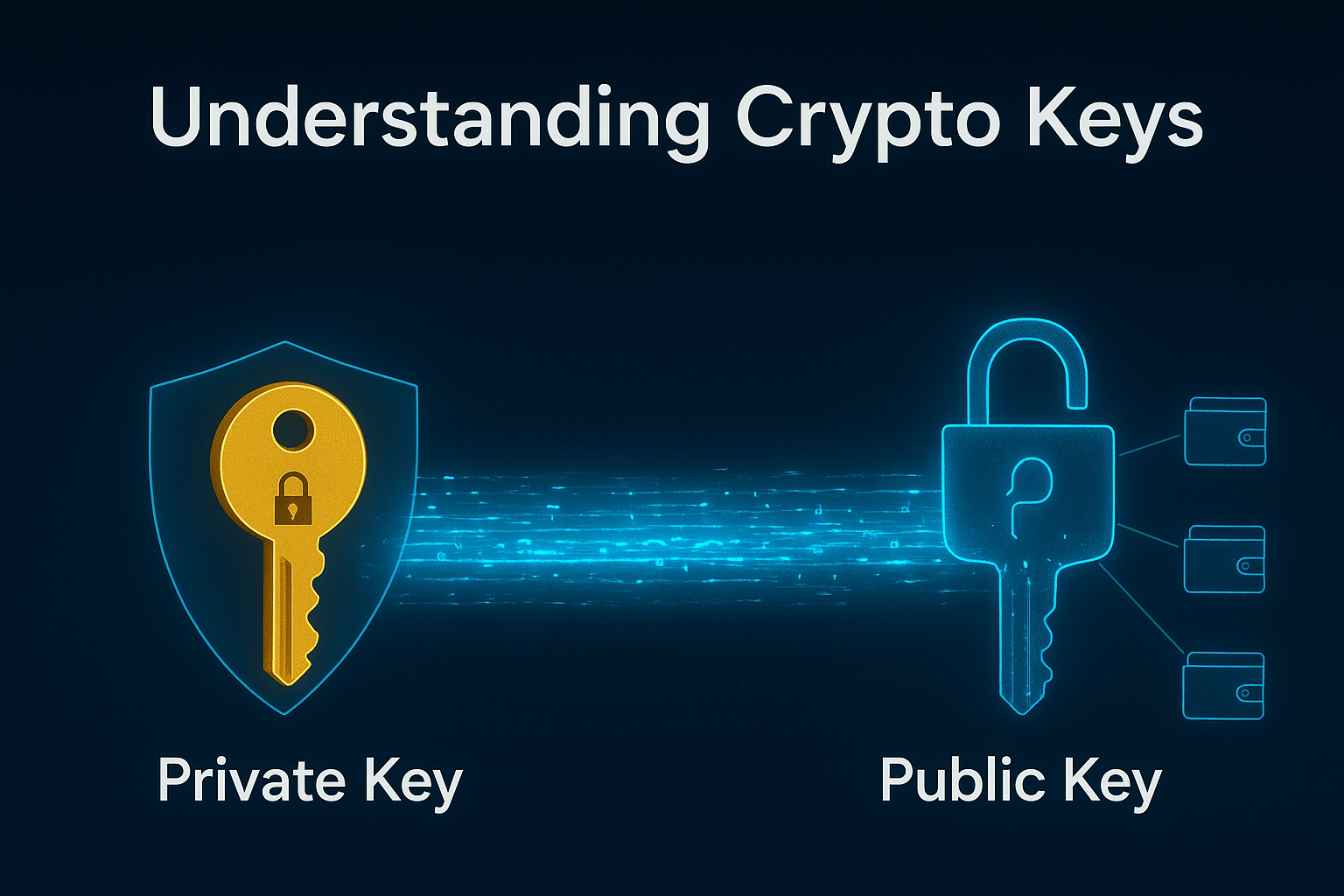
Every crypto wallet operates on a system of paired cryptographic keys. Understanding these keys is fundamental to understanding how crypto wallets work.
Your public key is like your bank account number. It’s a long string of letters and numbers that you can share freely with anyone who wants to send you cryptocurrency. When someone asks for your “wallet address,” they’re essentially asking for a version of your public key. There’s no security risk in sharing this – in fact, you need to share it to receive funds.
Your private key, however, is like your ATM PIN combined with your signature. It’s another long string of characters, but this one must remain absolutely secret. Anyone who has your private key can access and spend all the cryptocurrency in your wallet. There’s no customer service to call, no way to reverse fraudulent transactions, and no “forgot password” option that helps if someone steals your private key.
Here’s a critical point: traditional banks can reset your password because they control your account. With cryptocurrency, you control your account through your private key. This gives you unprecedented financial freedom, but it also means unprecedented personal responsibility. Lose your private key, and your cryptocurrency is gone forever. Share your private key, and someone else can steal everything instantly.
What Is a Seed Phrase and Why It Matters
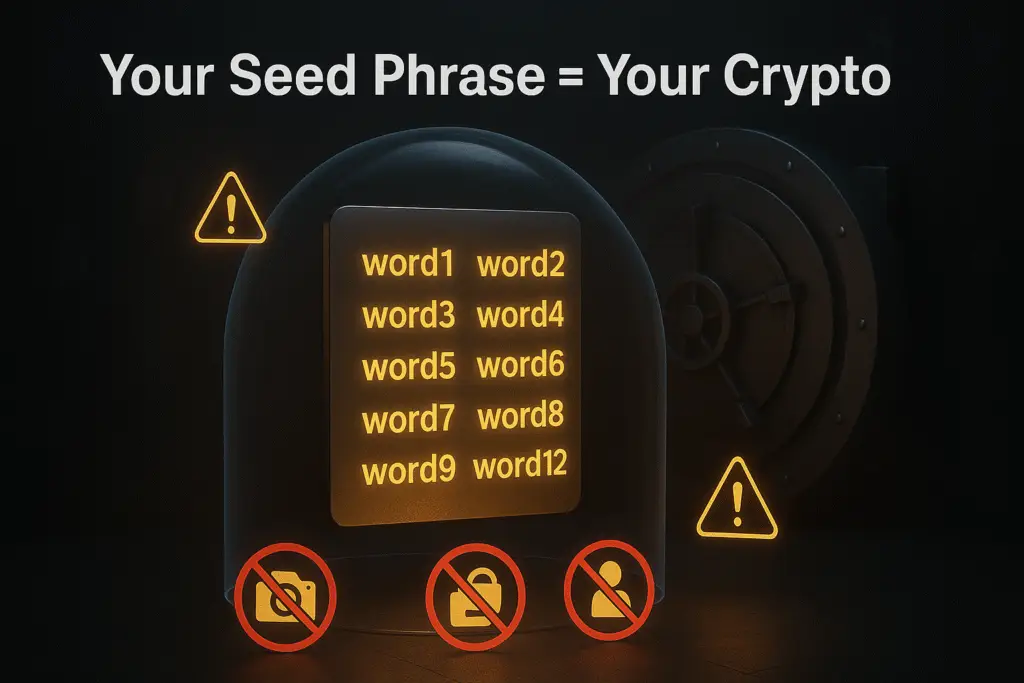
Because private keys are long, complex, and impossible to memorize (they look like this: 5Kb8kLf9zgWQnogidDA76MzPL6TsZZY36hWXMssSzNydYXYB9KF), wallets use something called a seed phrase – also known as a recovery phrase or mnemonic phrase.
A seed phrase is a human-readable backup of your private key, typically consisting of 12 or 24 random words in a specific order. It might look like this: “witch collapse practice feed shame open despair creek road again ice least”
This seed phrase is mathematically linked to your private key. If you lose access to your wallet (phone stolen, computer crashes, wallet app deleted), you can restore complete access to your cryptocurrency by entering this seed phrase into a new wallet. The new wallet will regenerate your exact private key from those words, giving you back control of your funds.
Here’s what makes seed phrases both powerful and dangerous: they’re portable and permanent. Anyone who has your seed phrase can access your cryptocurrency from anywhere in the world, forever. You could store Bitcoin in a wallet today, and ten years from now, someone who finds your seed phrase can steal those funds – even if your original wallet device was destroyed years ago.
This is why you’ll see constant warnings: never photograph your seed phrase, never store it digitally, never share it with anyone claiming to be customer support, and never, ever enter it on a website. Legitimate crypto services will never ask for your seed phrase. If someone asks for it, they’re trying to steal your cryptocurrency.
How Do Crypto Wallets Work? Step-by-Step Process
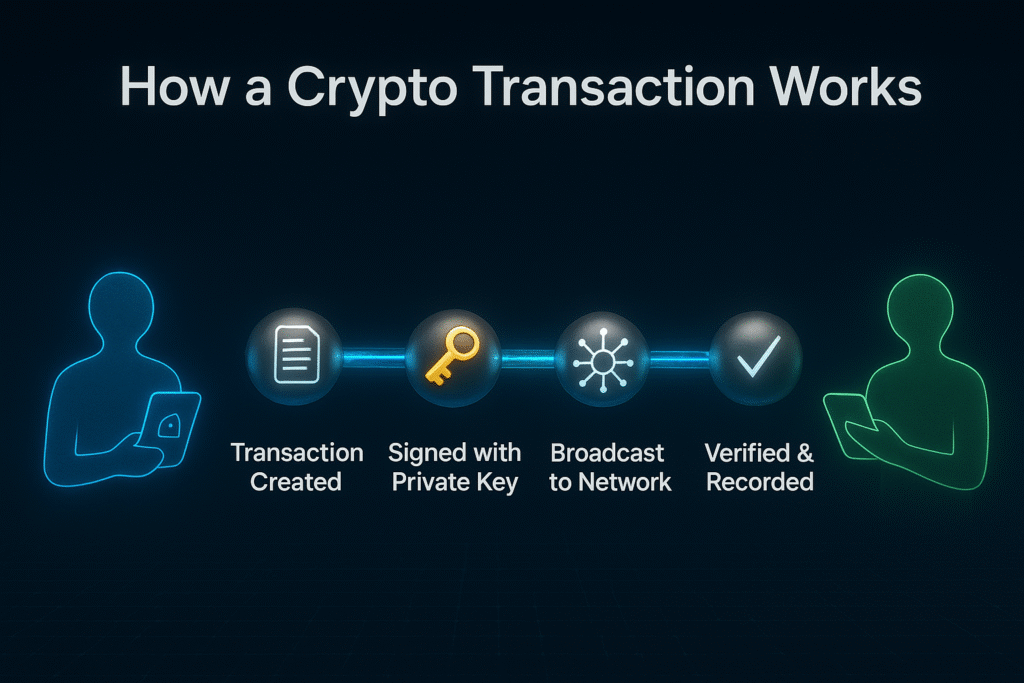
The best way to understand how crypto wallets work is to follow a single transaction from beginning to end. Let’s watch what happens when Alex wants to send cryptocurrency to Jordan.
Step 1: Wallet Generates Key Pair
When Alex first creates a crypto wallet, the wallet software generates a mathematically linked pair of keys: one public and one private. This happens using complex cryptographic algorithms, but the process is instant and automatic. Alex never sees the actual private key – instead, the wallet shows a seed phrase that represents it in human-readable form.
The public key is then compressed into a wallet address – a shorter, more manageable string of characters that Alex can share with others. Different cryptocurrencies use different address formats, which is why a Bitcoin address looks different from an Ethereum address.
Step 2: Public Key Creates Your Address
Alex’s wallet address is what Jordan needs to send cryptocurrency. Think of this address like an email address or a PayPal ID – it uniquely identifies where the funds should go. Multiple people can send funds to the same address, and Alex can generate multiple addresses from the same wallet if desired.
Importantly, you can’t reverse-engineer a private key from a public address. The cryptographic math only works in one direction. This means addresses can be publicly visible on the blockchain without compromising security – everyone can see that funds were sent to a particular address, but they can’t access those funds without the corresponding private key.
Step 3: Private Key Signs Transactions
When Alex decides to send cryptocurrency to Jordan, Alex opens the wallet and enters Jordan’s wallet address and the amount to send. Behind the scenes, the wallet creates a transaction request containing this information.
Here’s the critical step: Alex’s wallet uses the private key to create a unique digital signature for this specific transaction. This signature mathematically proves that Alex (the owner of the private key) authorized this exact transaction. It’s like a digital fingerprint that can’t be forged or reused for a different transaction.
The wallet then broadcasts this signed transaction to the blockchain network. Importantly, the private key itself never leaves Alex’s device and is never visible in the transaction. Only the signature is shared – and that signature is unique to this one transaction, making it useless for any other purpose.
Step 4: Blockchain Verifies and Records
Once broadcast, nodes (computers) across the blockchain network receive the transaction. They perform several checks:
- Does Alex’s address actually contain the amount being sent?
- Is the digital signature valid (proving Alex authorized this)?
- Has this cryptocurrency already been spent elsewhere (preventing double-spending)?
If all checks pass, miners or validators include the transaction in the next block added to the blockchain. Once confirmed, the transaction becomes permanent and irreversible. Jordan’s wallet, which has been monitoring the blockchain for incoming transactions to Jordan’s address, detects the new balance and displays the received funds.
Alex never sent cryptocurrency directly to Jordan. Instead, Alex created a signed message saying “I authorize transferring this cryptocurrency from my address to Jordan’s address,” and the blockchain network updated its permanent records accordingly. The cryptocurrency never moved – only the ownership record changed.
The Role of Blockchain Nodes
Throughout this process, thousands of independent blockchain nodes maintain identical copies of the transaction history. This decentralization means no single entity controls the network or can alter past transactions. Your wallet simply interfaces with these nodes, broadcasting transactions and checking balances.
This is why you can delete a wallet app, reinstall it years later, and restore access with your seed phrase. The blockchain still has the record of your ownership – you’re just recreating the keys to prove you’re the legitimate owner.
Types of Crypto Wallets Explained
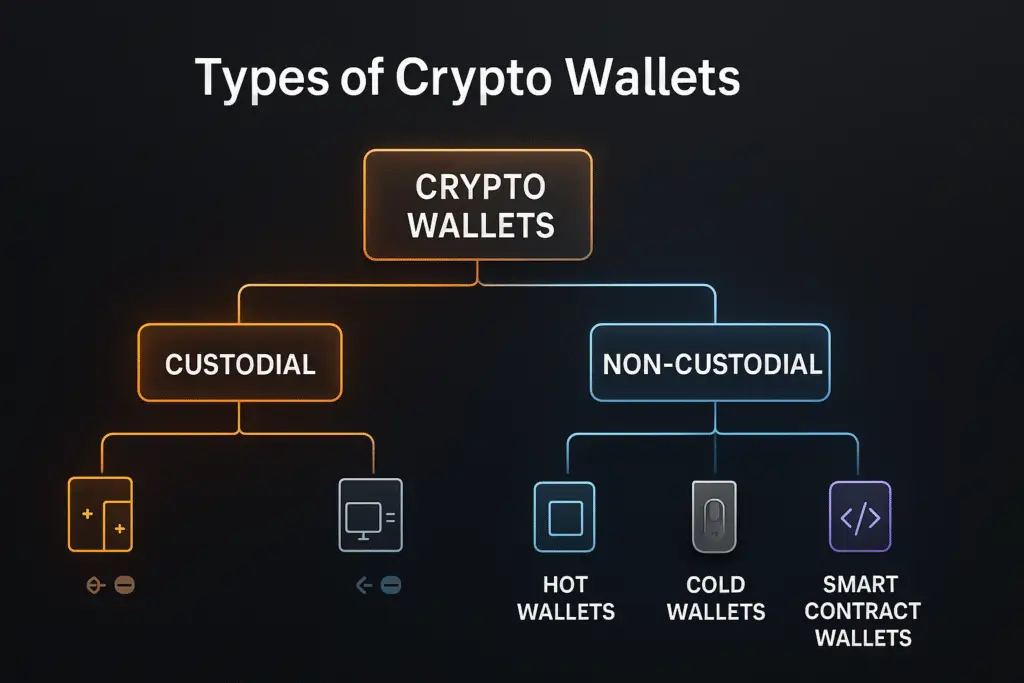
Not all crypto wallets are created equal. Understanding the different types helps you choose the right tool for your specific needs. The main distinction comes down to one critical question: who controls your private keys?
Custodial vs Non-Custodial Wallets
This is the most fundamental division in crypto wallets, and it determines everything about your relationship with your cryptocurrency.
Custodial Wallets: Convenient but Dependent
A custodial wallet is one where a third party – usually an exchange or financial service – holds your private keys on your behalf. When you buy cryptocurrency on Coinbase, Binance, or any major exchange and leave it there, you’re using a custodial wallet.
How it works: You create an account with username and password, just like any website. Behind the scenes, the company generates and stores the private keys. When you want to send cryptocurrency, you make a request through their interface, and they use their private keys to authorize the transaction.
Advantages of custodial wallets:
- Extremely beginner-friendly – no complex key management
- Password reset options if you forget your login
- Customer support if something goes wrong
- Often include additional features like instant exchanges
- No risk of personally losing private keys
Disadvantages of custodial wallets:
- You don’t actually own your cryptocurrency – the company does
- Company could freeze your account
- Company could be hacked (affecting all users)
- Company could go bankrupt (taking user funds)
- You must trust the company’s security and honesty
- Not aligned with cryptocurrency’s core principle of self-custody
The famous phrase “not your keys, not your crypto” directly refers to custodial wallets. Legally and technically, the cryptocurrency belongs to whoever controls the private keys. If an exchange goes bankrupt or gets hacked, you’re just another creditor hoping to recover funds – you can’t simply take your crypto elsewhere because you never held the keys.
Non-Custodial Wallets: Full Control and Responsibility
A non-custodial wallet – also called a self-custody wallet – gives you complete control over your private keys. You generate them, you store them, and you alone can authorize transactions. No company intermediary has access to your funds.
How it works: You download wallet software or buy a hardware device. The wallet generates your private keys locally on your device. You receive a seed phrase to back up these keys. From that moment forward, you’re completely responsible for security. No company can help if you lose your keys or fall victim to a scam.
Advantages of non-custodial wallets:
- True ownership of your cryptocurrency
- No company can freeze or seize your funds
- Not affected by company hacks or bankruptcies
- Privacy – no KYC (Know Your Customer) requirements
- Aligned with crypto’s decentralization philosophy
- Direct interaction with blockchain networks
Disadvantages of non-custodial wallets:
- Complete responsibility for security
- No password reset if you lose seed phrase
- No customer support to reverse mistakes
- Higher learning curve for beginners
- Must understand concepts like gas fees and network congestion
- Easy to make expensive mistakes
For most serious cryptocurrency users, the goal is to eventually move to non-custodial wallets. However, beginners often benefit from starting with custodial options while learning the basics, then gradually transitioning to self-custody as they gain confidence.
Hot Wallets: Always Connected
Hot wallets are cryptocurrency wallets that maintain a constant connection to the internet. This category includes most mobile apps, desktop programs, and browser extensions you’ll encounter.
Common types of hot wallets:
- Mobile wallets: Apps on your smartphone (Trust Wallet, Coinbase Wallet)
- Desktop wallets: Software on your computer (Exodus, Atomic Wallet)
- Web wallets: Browser extensions (MetaMask, Phantom)
Why they’re called “hot”: The term comes from security terminology. A “hot” system is one that’s actively connected to networks, making it more vulnerable to remote attacks compared to “cold” (offline) systems.
Advantages of hot wallets:
- Instant access to your cryptocurrency anywhere
- Perfect for frequent trading or transactions
- Easy to use for everyday purchases
- Quick interaction with DeFi applications and NFT marketplaces
- Usually free to set up
- Convenient for smaller amounts you need regularly
Disadvantages of hot wallets:
- Vulnerable to hacking and malware
- Device theft means potential fund loss
- Exposed to phishing attacks
- Relies on device security
- Not suitable for large holdings
- Software bugs could potentially expose keys
Hot wallets excel at convenience and accessibility. If you’re actively trading, exploring DeFi protocols, or buying NFTs, a hot wallet is essential. However, security-conscious users follow a simple rule: keep in hot wallets only what you’re willing to lose in a worst-case scenario.
Cold Wallets: Offline Security
Cold wallets store your private keys completely offline, disconnected from the internet. This makes them significantly more secure against remote hacking attempts, though they sacrifice some convenience.
Hardware Wallets: The Gold Standard
Hardware wallets are physical devices specifically designed to store cryptocurrency private keys securely. They look like USB drives and include built-in security features that protect your keys even when connected to potentially compromised computers.
How hardware wallets work: Your private keys are generated and stored inside the device itself. When you want to make a transaction, you connect the device to your computer, approve the transaction on the device’s screen, and the device signs the transaction internally without ever exposing the private key to your computer.
Popular hardware wallets:
- Ledger Nano S/X: Most popular, supports 5,500+ cryptocurrencies
- Trezor Model One/T: Open-source, strong reputation
- Tangem: Card-format, ultra-portable
Advantages of hardware wallets:
- Highest security level for self-custody
- Private keys never exposed to internet
- Protected against computer malware
- Physical confirmation required for transactions
- Suitable for large holdings
- Can store multiple cryptocurrencies
Disadvantages of hardware wallets:
- Cost ($50-$200)
- Less convenient for frequent transactions
- Learning curve for setup
- Can be lost or damaged (though recoverable with seed phrase)
- Physical security concerns (where to store safely)
For anyone holding significant cryptocurrency long-term, hardware wallets are the recommended solution. The initial cost pays for itself in security and peace of mind. Many experienced users follow a “hot wallet for spending, cold wallet for savings” approach.
Paper Wallets: The Legacy Option
Paper wallets involve printing your private keys and public addresses on paper and storing them offline. While technically secure from digital attacks, paper wallets have fallen out of favor due to practical problems.
Why paper wallets aren’t recommended anymore:
- Paper degrades over time
- Vulnerable to physical damage (fire, water, fading)
- Easy to accidentally destroy
- No protection if someone photographs them
- Complicated process to spend funds
- Modern hardware wallets offer better security
Most educators now actively discourage paper wallets in favor of hardware alternatives that provide better security with less risk of physical loss.
Smart Contract Wallets: The Emerging Future
A newer category of wallets uses smart contracts – programmable code on the blockchain – to provide advanced features impossible with traditional wallets.
Innovative features of smart contract wallets:
- Social recovery: Designate trusted friends to help recover access if you lose keys
- Spending limits: Set maximum daily transfer amounts for security
- Multi-signature: Require multiple approvals for transactions
- Account abstraction: Gasless transactions, batch operations
- Session keys: Temporary permissions for dApps without full access
Examples:
- Argent: Mobile-focused with social recovery
- Gnosis Safe: Multi-signature for teams and DAOs
- ZenGo: No seed phrase, biometric security
Smart contract wallets represent the future of crypto usability, making self-custody more user-friendly. However, they’re still evolving and may have limitations compared to traditional wallets. For now, they’re best suited for users who understand smart contracts and prioritize convenience features.
Hot Wallet vs Cold Wallet: Which Is Right for You?
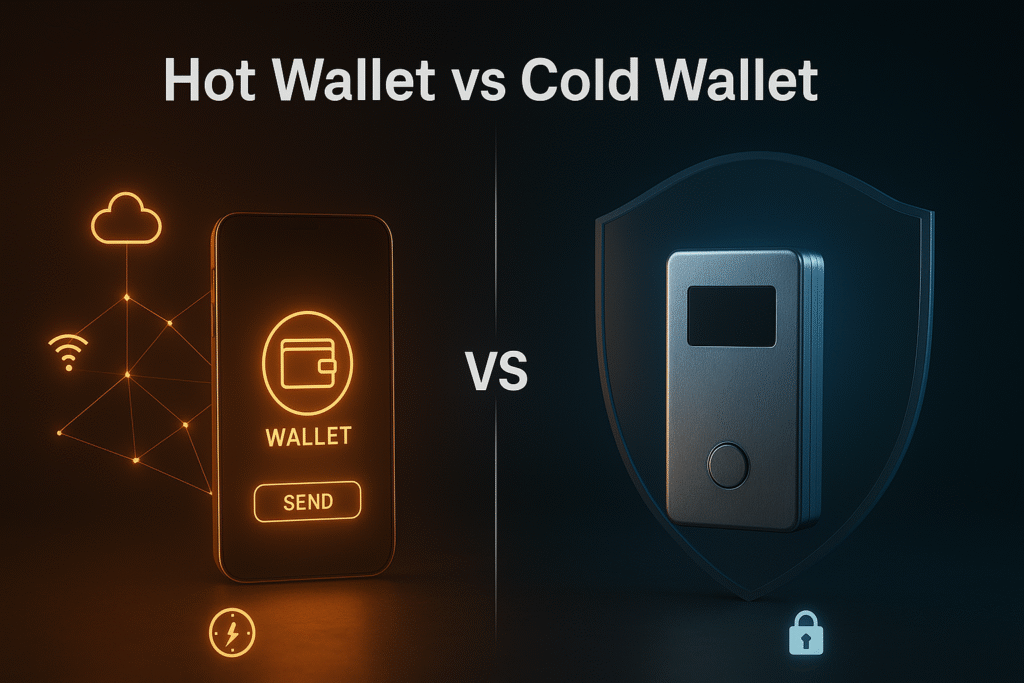
Understanding the differences between hot and cold wallets is crucial for making informed security decisions. Let’s compare them directly across the factors that matter most.
Detailed Comparison
| Feature | Hot Wallet | Cold Wallet |
| Internet Connection | Always online | Offline, only connects when needed |
| Security Level | Medium (vulnerable to online attacks) | High (immune to remote hacking) |
| Convenience | Very high (instant access anywhere) | Medium (requires device, setup time) |
| Speed of Transactions | Instant | Slightly slower (need to connect device) |
| Best For | Daily trading, small amounts, frequent transactions | Long-term storage, large holdings |
| Learning Curve | Easy (download and use) | Moderate (initial setup, device management) |
| Cost | Free | $50-$200 for hardware wallet |
| Risk Type | Hacking, malware, phishing | Physical loss, damage (mitigated by seed backup) |
| DeFi/NFT Access | Seamless integration | Possible but less convenient |
| Backup Method | Seed phrase | Seed phrase + physical device |
| Recovery | Easy if you have seed phrase | Easy if you have seed phrase |
Security Comparison in Practice
Think of hot wallets like keeping cash in your regular wallet or checking account. It’s accessible when you need it, but you wouldn’t keep your life savings there. A cold wallet is like a safe deposit box – more secure but less convenient for everyday use.
Hot wallets face these threats:
- Malware that steals keys from your device
- Phishing websites that trick you into revealing seed phrases
- Compromised apps or browser extensions
- Keyloggers recording your passwords
- SIM-swap attacks to bypass two-factor authentication
Cold wallets (specifically hardware wallets) eliminate most of these threats because private keys never touch an internet-connected device. Even if your computer is completely compromised with malware, the hardware wallet’s internal chip protects your keys.
However, cold wallets aren’t invincible. You still face:
- Physical theft of the device (though PIN-protected)
- Physical damage or loss (mitigated by seed phrase backup)
- Supply chain attacks (buying fake devices from unofficial sources)
- Human error in storing seed phrases
The Hybrid Approach: Best of Both Worlds
Most experienced cryptocurrency users don’t choose between hot and cold wallets – they use both strategically:
Hot wallet strategy:
- Keep only “spending money” – amounts you actively use for trading, DeFi, or purchases
- Treat it like a regular wallet: convenient but not for your life savings
- Typical amount: $100-$2,000 depending on your activity level
Cold wallet strategy:
- Store the bulk of your cryptocurrency holdings
- Think of it as your cryptocurrency savings account
- Only connect when you need to move significant funds
- Typical amount: Anything you’d be devastated to lose
Practical example: Sarah has $10,000 in cryptocurrency. She keeps $500 in a hot wallet (MetaMask) for exploring DeFi and buying occasional NFTs. The remaining $9,500 stays in her Ledger hardware wallet. She only connects the Ledger quarterly to rebalance or take profits.
This hybrid approach maximizes both security and usability. You’re protected from the worst consequences of a hot wallet compromise while maintaining the flexibility to participate in the cryptocurrency ecosystem actively.
Which Should Beginners Start With?
For absolute beginners, I recommend this progression:
Phase 1 (First month): Start with a reputable custodial wallet on a major exchange (Coinbase, Kraken). Keep amounts small while you learn basics. Accept the tradeoff of custodial risk for simplicity while learning.
Phase 2 (Month 2-3): Experiment with a hot wallet like Trust Wallet or MetaMask. Transfer small amounts to practice. Learn about seed phrases, gas fees, and transaction signing. This bridges you from custodial to self-custody.
Phase 3 (Month 4+): If your holdings grow beyond $1,000-$2,000 or if you’re committed long-term, invest in a hardware wallet. Keep the hot wallet for small, frequent transactions.
This gradual approach builds confidence and knowledge while minimizing risk. Jumping directly to hardware wallets can overwhelm beginners, while staying exclusively with exchanges contradicts cryptocurrency’s self-sovereignty principles.
How to Choose the Right Crypto Wallet
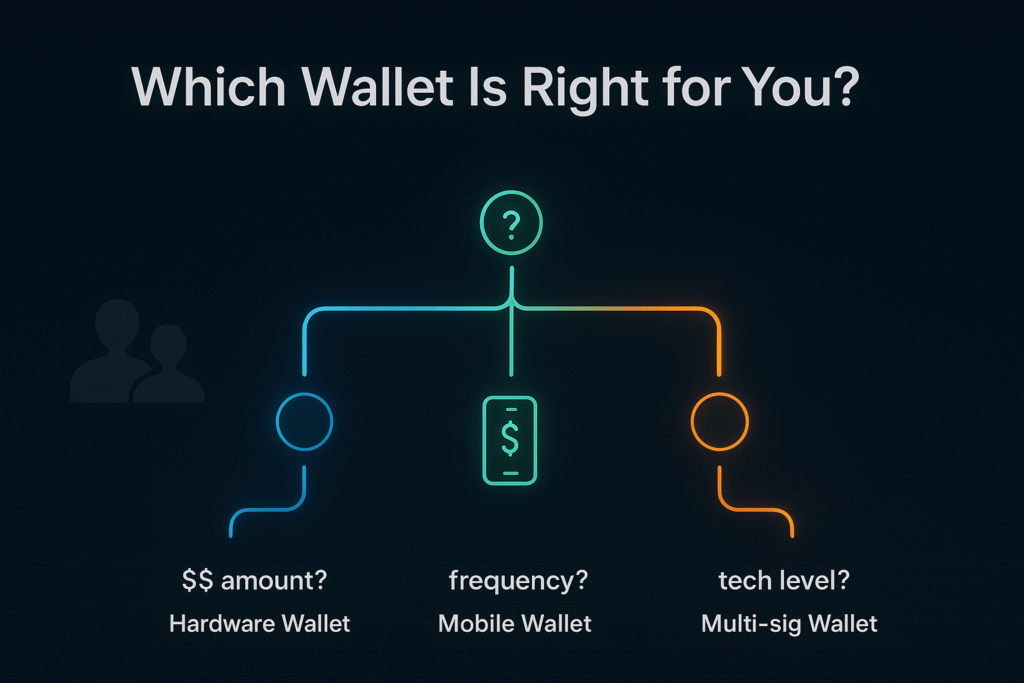
Choosing a crypto wallet isn’t about finding the “best” one – it’s about finding the best fit for your specific situation. Answer these five questions to narrow your options.
1. What’s Your Primary Purpose?
Different use cases require different wallet types:
Active trading: If you’re frequently buying and selling, you need instant access. A hot wallet with built-in exchange features (like Trust Wallet or Exodus) makes sense. Hardware wallets are too cumbersome for active trading.
Long-term holding (HODLing): If you’re buying cryptocurrency as a multi-year investment and rarely transacting, security trumps convenience. A hardware wallet like Ledger or Trezor is ideal.
DeFi and dApp exploration: Participating in decentralized finance, using dApps, or trading NFTs requires seamless connectivity. Browser extension wallets like MetaMask or Phantom excel here.
Daily purchases: For actually spending cryptocurrency on goods and services, mobile hot wallets offer the best experience with QR code scanning and quick transactions.
Professional/business use: If managing company funds or working with teams, multi-signature wallets like Gnosis Safe provide accountability and shared control.
Match your primary activity to wallet strengths. If you have multiple use cases, you’ll likely need multiple wallets – and that’s perfectly normal.
2. How Much Crypto Will You Store?
The amount you’re securing should directly influence your security investment:
Under $500: A reputable hot wallet suffices. The risk is manageable, and the learning experience is valuable. Consider Trust Wallet, Coinbase Wallet, or MetaMask.
$500-$2,000: This is the gray area. Depends on your risk tolerance and whether this represents significant money to you personally. Consider starting to use a hardware wallet for the bulk while keeping some in a hot wallet.
$2,000-$10,000: Hardware wallet strongly recommended for the majority of funds. The $100-$150 cost is justified insurance.
Over $10,000: Hardware wallet is non-negotiable. Consider redundancy – multiple hardware wallets with backups stored in different secure locations.
Over $100,000: Professional-grade security: hardware wallets, multi-signature setups, and potentially institutional custody solutions. Consult with cryptocurrency security specialists.
Remember, these numbers are guidelines. Someone for whom $500 represents several months of savings should secure it as carefully as someone else secures $10,000. Adjust based on personal significance, not just absolute amounts.
3. What’s Your Technical Comfort Level?
Be honest about your technical skills and willingness to learn:
Complete beginner, technology-averse: Start with custodial options (exchange wallets) despite the philosophical compromise. Trying to manage private keys before you’re ready leads to lost funds. Learn gradually.
Comfortable with basic technology: Modern hot wallets like Trust Wallet or Coinbase Wallet offer beginner-friendly interfaces with good security. Start here.
Tech-savvy, willing to learn: Jump to hardware wallets early. You’ll appreciate the security model and can handle the learning curve.
Developer or crypto enthusiast: Explore advanced options like running your own node, multi-signature setups, or smart contract wallets with custom features.
Don’t let crypto evangelists pressure you into complexity you’re not ready for. A custodial wallet you can use successfully is better than a non-custodial wallet you mismanage and lose funds from. Build skills progressively.
4. Which Cryptocurrencies Do You Need to Support?
Not all wallets support all cryptocurrencies. Check before committing:
Bitcoin only: Specialized Bitcoin wallets like BlueWallet or Samourai Wallet offer Bitcoin-specific features and optimizations.
Ethereum and ERC-20 tokens: MetaMask, Coinbase Wallet, Trust Wallet all excel here.
Multi-chain needs: If you hold Bitcoin, Ethereum, Solana, and various altcoins, you need either:
- A wallet with broad support (Exodus, Atomic Wallet, Trust Wallet)
- Multiple specialized wallets
- A hardware wallet that supports many chains (Ledger supports 5,500+ cryptocurrencies)
Specific blockchain ecosystems: Some blockchains have dedicated wallets with better integration:
- Solana: Phantom
- Cosmos ecosystem: Keplr
- Polkadot: Polkadot.js
- Near: Near Wallet
Verify your current holdings and likely future interests are supported. There’s nothing more frustrating than buying a wallet only to discover it doesn’t support a cryptocurrency you need.
5. What Additional Features Matter to You?
Modern crypto wallets offer features beyond basic sending and receiving:
Built-in exchanges: Swap one cryptocurrency for another without leaving the wallet (Trust Wallet, Exodus). Convenient but usually higher fees than dedicated exchanges.
Staking support: Earn rewards by staking proof-of-stake cryptocurrencies directly from your wallet. Important if you hold ETH, ADA, SOL, or similar.
NFT galleries: Display your NFT collection within the wallet interface. Essential for NFT collectors (MetaMask, Trust Wallet, Phantom).
DeFi browser: Access decentralized applications directly. Critical for DeFi participation (MetaMask, Trust Wallet).
Fiat on-ramps: Buy cryptocurrency with credit card or bank transfer directly in the wallet. Convenient for beginners.
Multi-signature: Require multiple approvals for transactions. Important for shared funds or additional security (Gnosis Safe).
WalletConnect: Connect to dApps from mobile wallet. Standard feature but verify support.
Cross-chain bridges: Move assets between different blockchains. Emerging feature in some wallets.
Prioritize features you’ll actually use. Don’t choose a wallet solely because it has ten features if you only need three. Simpler often means more secure and easier to use.
Best Crypto Wallets for 2025
Now that you understand the principles, here are specific wallet recommendations organized by use case. These suggestions prioritize security, usability, and track record.
For Complete Beginners: Trust Wallet & Coinbase Wallet
- Type: Non-custodial mobile hot wallet
- Why it’s good for beginners: Clean, intuitive interface. Supports 10 million+ assets across 100+ blockchains. Built-in educational resources. Strong security with no user data collection.
- Best for: Someone taking their first steps into self-custody
- Platforms: iOS, Android, browser extension
- Cost: Free
- Limitations: Hot wallet vulnerabilities apply; not suitable for large holdings
Coinbase Wallet (Note: Different from Coinbase exchange)
- Type: Non-custodial mobile/browser wallet
- Why it’s good for beginners: Familiar Coinbase branding builds trust. Excellent onboarding for crypto novices. Seamless connection to Coinbase exchange for funding. Cloud backup option (though this compromises pure self-custody).
- Best for: Coinbase exchange users wanting to explore DeFi
- Platforms: iOS, Android, Chrome extension
- Cost: Free
- Limitations: Less privacy than alternatives; some centralization compromises
Both these wallets offer good starting points. Choose Trust Wallet if privacy is priority. Choose Coinbase Wallet if you’re already comfortable with Coinbase exchange.
For Serious Security: Ledger & Trezor Hardware Wallets
- Type: Bluetooth-enabled hardware wallet
- Why it’s the security choice: Industry leader with proven track record. Supports 5,500+ cryptocurrencies. Secure Element chip (bank-level security). Regular firmware updates. Large screen for transaction verification.
- Best for: Anyone holding $2,000+ or serious about long-term storage
- Platforms: Works with Windows, Mac, Linux, iOS, Android
- Cost: $149
- Limitations: Closed-source firmware (some prefer open-source); past company data breach (though no funds stolen)
- Type: Touchscreen hardware wallet
- Why it’s the security choice: Fully open-source (can verify code yourself). Excellent reputation. Color touchscreen. Supports 1,600+ coins. Strong privacy features. Made in Czech Republic (EU manufacturing).
- Best for: Security maximalists who value open-source transparency
- Platforms: Works with Windows, Mac, Linux, Android
- Cost: $219
- Limitations: Higher price; fewer supported coins than Ledger
Security comparison: Both are excellent. Choose Ledger for broader coin support and slightly lower price. Choose Trezor for open-source principles and touchscreen interface. You can’t go wrong with either.
Critical warning: Only buy hardware wallets directly from manufacturer websites (ledger.com, trezor.io). Never buy from Amazon, eBay, or third parties. Pre-compromised fake devices are a real threat.
For Multi-Chain Users: Rabby & Exodus
- Type: Browser extension hot wallet
- Why it’s good for multi-chain: Designed specifically for multi-chain DeFi. Automatically switches networks based on dApp. Clear transaction previews showing exactly what you’re signing. Better security warnings than MetaMask.
- Best for: Experienced DeFi users managing assets across many chains
- Platforms: Chrome, Edge, Brave
- Cost: Free
- Limitations: Browser-only (no mobile); assumes DeFi knowledge
- Type: Desktop and mobile wallet
- Why it’s good for multi-chain: Beautiful interface. Supports 260+ cryptocurrencies. Built-in exchange. 24/7 human support. Excellent for portfolio tracking across multiple assets.
- Best for: Users holding diverse cryptocurrency portfolios who want simplicity
- Platforms: Desktop (Windows, Mac, Linux), iOS, Android
- Cost: Free (trading fees apply for built-in exchange)
- Limitations: Not open-source; exchange rates sometimes higher than dedicated platforms
For Web3 & NFTs: MetaMask & Phantom
- Type: Browser extension and mobile hot wallet
- Why it’s the Web3 standard: Nearly universal dApp compatibility. Established ecosystem. Excellent documentation. Regular updates. Standard for Ethereum and EVM-compatible chains.
- Best for: Anyone exploring Ethereum DeFi, NFTs, or dApps
- Platforms: Chrome, Firefox, Edge, Brave, iOS, Android
- Cost: Free
- Limitations: Only EVM chains; overwhelming for beginners; frequent phishing targets
- Type: Browser extension and mobile wallet
- Why it’s the Solana standard: Best Solana wallet experience. Built-in token swaps. NFT gallery. Clean interface. Expanding to Ethereum and Polygon.
- Best for: Solana ecosystem participants
- Platforms: Chrome, Firefox, Edge, Brave, iOS, Android
- Cost: Free
- Limitations: Primarily Solana-focused; hot wallet risks
If you’re exploring NFTs or DeFi, you’ll likely end up with both MetaMask (for Ethereum) and Phantom (for Solana). This is normal – most active users have multiple wallets for different ecosystems.
For Mobile-First Users: Trust Wallet & OKX Wallet
Trust Wallet (Already mentioned but worth emphasizing)
- Mobile experience is primary strength
- QR code scanning for easy transactions
- Integrated dApp browser
- Staking directly from mobile
OKX Wallet
- Type: Multi-chain mobile and browser wallet
- Why it’s good for mobile: Excellent mobile interface. Supports 80+ blockchains. Built-in DEX aggregator. Lowest swap fees. Growing quickly in 2025.
- Best for: Mobile users who want feature-rich wallet with good trading options
- Platforms: iOS, Android, Chrome extension
- Cost: Free
- Limitations: Less established reputation than older wallets
For African Users: Mobile Money Integration
African users have unique needs, particularly around mobile money integration for fiat on/off-ramps:
Trust Wallet
- Supports M-Pesa, MTN Mobile Money, Airtel Money in select countries
- No KYC for small amounts
- Growing African user base
- Direct M-Pesa, bank transfer support in Kenya, Nigeria, Ghana, South Africa
- Established fiat rails across continent
- Custodial tradeoff for convenience
Local Options:
- Yellow Card: Supports mobile money across 20+ African countries
- Luno: South African exchange with good mobile money support
- Quidax: Nigeria-focused with strong naira on-ramps
The African cryptocurrency market is rapidly evolving. Mobile money integration is becoming standard. Flutterwave’s partnership with Polygon is bringing stablecoin payments to 34 African countries, expanding options significantly.
Crypto Wallet Security Best Practices
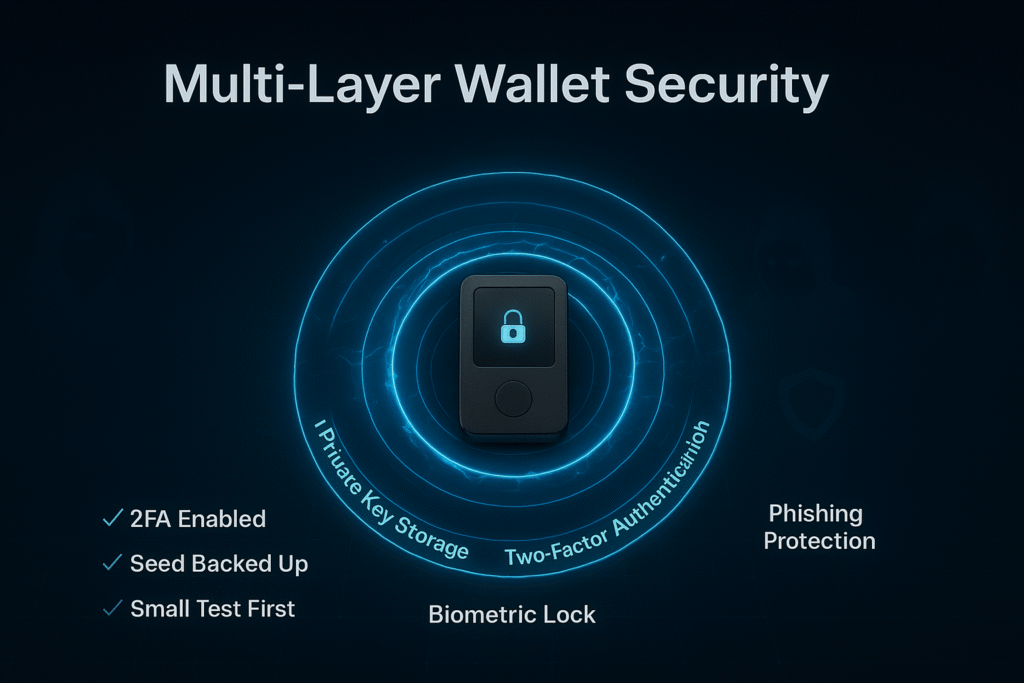
Understanding wallet types is pointless if you don’t secure them properly. These practices separate those who safely manage cryptocurrency from those who lose everything to preventable mistakes.
Never Share Your Seed Phrase – Ever
This cannot be emphasized enough: your seed phrase is your cryptocurrency. Anyone with your seed phrase can access and steal your entire balance from anywhere in the world.
Never:
- Photograph your seed phrase
- Store it in cloud services (Google Drive, iCloud, Dropbox)
- Email it to yourself
- Share it with anyone claiming to be customer support
- Enter it on any website (no legitimate site ever needs it)
- Store it in password managers
- Tell it to friends or family (even if you trust them)
Legitimate crypto services will never, ever ask for your seed phrase. If someone asks for it – whether via email, phone, or message – they’re attempting to steal your cryptocurrency. No exceptions.
Where to store your seed phrase safely:
- Write on paper in permanent ink, store in fireproof safe
- Metal backup plates (for fire/water protection)
- Split across multiple secure locations
- Consider cryptographically splitting with tools like Shamir’s Secret Sharing for large amounts
Some users memorize their seed phrase. While this eliminates physical security concerns, it’s risky – head injuries, memory issues, or simply forgetting under stress could result in permanent loss.
Enable All Security Features
Don’t leave security settings at default. Configure maximum protection:
Two-factor authentication (2FA):
- Use authenticator apps (Google Authenticator, Authy), not SMS
- SMS-based 2FA is vulnerable to SIM-swap attacks
- Backup your 2FA seeds in case you lose your device
Biometrics:
- Enable fingerprint or face ID for wallet access
- Adds friction against quick theft attempts
PIN codes:
- Hardware wallets require PINs – choose strong ones (not birthdays)
- Change from default settings
Transaction signing confirmation:
- Hardware wallets require physical button presses
- Software wallets should require biometric confirmation
Whitelist addresses:
- Some wallets allow pre-approving addresses
- Prevents sending to wrong addresses under duress
Each additional security layer makes theft exponentially harder. The inconvenience is worth it when protecting significant value.
Recognize and Avoid Common Scams
Cryptocurrency scammers are sophisticated and constantly evolving. Awareness is your best defense:
Fake wallet apps:
- Download only from official sources (wallet’s actual website)
- Verify publisher name exactly (scammers create near-identical names)
- Check reviews (but know scammers can fake those too)
Phishing websites:
- Always verify URLs character-by-character
- Bookmark legitimate wallet/exchange sites
- Be suspicious of links in emails or messages
- Use browser extensions that flag crypto phishing sites
Social engineering:
- No one legitimate offers to “help recover” lost crypto for a fee
- “Customer support” in DMs is always a scammer
- Influencer crypto giveaways are usually scams
- Anyone asking you to “validate” or “synchronize” your wallet is stealing
Malicious smart contract approvals:
- Carefully review what you’re approving in MetaMask/similar wallets
- Unlimited approvals let contracts spend all your tokens
- Revoke old approvals regularly using tools like Revoke.cash
Rug pulls and fake tokens:
- New tokens with no history are high-risk
- Check contract code if possible or use tools like Token Sniffer
- If returns seem too good to be true, they are
Trust your instincts. If something feels off, it probably is. The cryptocurrency space’s irreversible transactions mean mistakes can’t be undone.
Back Up Your Wallet Properly
Your wallet is only as secure as your backup strategy:
Multiple backups:
- Never rely on a single copy of your seed phrase
- Store in at least two physically separate locations
- Consider three locations for significant holdings
Physical security:
- Fire-resistant safe
- Safety deposit box
- Buried in secure container (yes, people do this)
- With trusted family member in different city
Test your backups:
- Restore from seed phrase to verify it’s written correctly
- Do this with small amounts first
- Ensures you didn’t make transcription errors
Inheritance planning:
- Consider what happens to your crypto if you die unexpectedly
- Dead man’s switch services exist
- Clear instructions for beneficiaries (though keeping seed phrase secure)
- Consider multi-signature setups requiring you AND a trusted person
For hardware wallets:
- Your seed phrase is the backup, not the device itself
- If device breaks, buy new one and restore from seed phrase
- Device PIN protects against theft but seed phrase is ultimate backup
Test with Small Transactions First
Never send large amounts until you’ve verified everything works:
First transaction protocol:
- Send small test amount (worth $10-20)
- Verify it arrives at destination
- Wait for confirmations
- Then send the larger amount
This two-step process catches address errors before they become expensive. Yes, you pay transaction fees twice, but it’s cheap insurance against sending $10,000 to the wrong address permanently.
When moving to new wallet:
- Install new wallet
- Back up seed phrase
- Send tiny test amount to new wallet
- Verify receipt
- Practice sending from new wallet back to old wallet
- Only then transfer main holdings
This might feel overly cautious. It’s not. The cryptocurrency graveyard is filled with “I sent everything in one transaction and made a mistake” horror stories.
Keep Software Updated
Wallet developers constantly fix security vulnerabilities:
Update promptly:
- Enable auto-updates if available
- Check for updates weekly if manual
- Follow wallet’s official social media for security announcements
For hardware wallets:
- Update firmware when prompted
- Only download firmware from official websites
- Verify authenticity of firmware files
Outdated software is a known vulnerability that attackers actively exploit. Staying current is one of the easiest security measures with significant impact.
Frequently Asked Questions About Crypto Wallets
What is a crypto wallet in simple terms?
A crypto wallet is a digital tool that stores the private keys needed to access and manage your cryptocurrency. Think of it like a keychain that holds the keys to your digital assets stored on the blockchain. The wallet doesn’t hold the actual cryptocurrency – that lives on the blockchain permanently – but it gives you the ability to prove ownership and authorize transactions.
Do crypto wallets actually store cryptocurrency?
No, and this confuses many beginners. Cryptocurrency never leaves the blockchain – it’s always recorded there. Your wallet stores private keys, which are cryptographic codes that prove you own specific cryptocurrency and allow you to transfer it. When you “send Bitcoin from your wallet,” you’re really signing a message that tells the blockchain to update ownership records. The Bitcoin itself stays on the blockchain.
What’s the difference between hot and cold wallets?
Hot wallets maintain constant internet connection, making them convenient for frequent use but more vulnerable to hacking. Cold wallets store private keys offline, providing maximum security at the cost of convenience. Hot wallets are like your regular wallet with spending money, while cold wallets are like a safe for long-term savings.
Which crypto wallet is best for beginners?
Trust Wallet or Coinbase Wallet are excellent starting points. They offer intuitive interfaces, good security, and introduce self-custody gradually. Start with small amounts while learning. Once comfortable and if holdings grow, transition to a hardware wallet like Ledger for better security. There’s no single “best” – it depends on your learning style, technical comfort, and what cryptocurrencies you hold.
How do I keep my crypto wallet secure?
Follow these critical practices: Never share your seed phrase with anyone ever. Enable two-factor authentication using authenticator apps (not SMS). Use strong, unique passwords. Only download wallets from official sources. Test with small transactions first. Keep software updated. Be extremely wary of phishing attempts. For holdings over $2,000, use a hardware wallet. Store seed phrase backups in multiple secure physical locations.
What happens if I lose my private key?
Your cryptocurrency becomes permanently inaccessible. This is why seed phrases exist – they’re a backup of your private key. If you lose both your device and your seed phrase backup, there’s no recovery option. No company can help you. This is the tradeoff for self-custody: complete control means complete responsibility. This is why proper seed phrase backup is absolutely critical.
Can I use multiple crypto wallets?
Yes, and most serious users do. You might use a hot wallet for daily trading, a hardware wallet for long-term storage, and different wallets for different blockchains (MetaMask for Ethereum, Phantom for Solana). You can also have multiple addresses within a single wallet. Using multiple wallets for different purposes is actually good security practice – it compartmentalizes risk.
Do I need different wallets for different cryptocurrencies?
Not necessarily. Many wallets support multiple cryptocurrencies – Exodus supports 260+, Ledger supports 5,500+. However, some specialized wallets work only with specific blockchains. Check your wallet supports the cryptocurrencies you own or plan to buy. Multi-currency wallets are convenient, but ensure they support your specific needs before committing.
Are custodial wallets less secure than non-custodial wallets?
It depends on the threat model. Custodial wallets are vulnerable to company-level hacks, bankruptcies, or frozen accounts – risks that don’t affect non-custodial wallets. However, non-custodial wallets put security responsibility on you. For users who struggle with key management, custodial wallets might actually be more secure because they prevent user error. The tradeoff is control versus convenience.
How much does a crypto wallet cost?
Software wallets (hot wallets) are free to download and use, though you’ll pay blockchain transaction fees when sending cryptocurrency. Hardware wallets cost $50-$200 depending on model and features. This one-time cost is worthwhile for anyone holding significant amounts. There are no ongoing subscription fees for wallets – beware of any wallet asking for monthly payments.
Final Thoughts: Choosing Your Crypto Wallet
You now understand what crypto wallets actually are, how they work behind the scenes, and the critical differences between types. More importantly, you know how to evaluate which wallet fits your specific situation rather than blindly following someone else’s recommendation.
Remember, wallet choice is about balancing security with convenience based on your use case. Active traders need different tools than long-term holders. Beginners need different approaches than experienced users. There’s no universal “best” wallet – only the best wallet for you right now.
Start where you are. If you’re completely new, beginning with a custodial exchange wallet while you learn the basics is perfectly fine. As your knowledge and holdings grow, progressively move toward self-custody. If you’re holding significant amounts long-term, invest in a hardware wallet immediately. If you’re exploring DeFi and NFTs, you’ll need hot wallets despite the security tradeoffs.
The cryptocurrency space evolves rapidly. Wallets that are cutting-edge today will be outdated in two years. Stay curious, keep learning, and be willing to adapt your approach as both technology and your needs change. The fundamentals you’ve learned here – understanding keys, recognizing security tradeoffs, and thinking critically about your needs – will remain valuable regardless of which specific wallet products come and go.
Most importantly, take security seriously from day one. The irreversible nature of cryptocurrency transactions means mistakes can’t be undone. Better to be overly cautious with small amounts while learning than to lose significant funds to preventable errors.
Your cryptocurrency journey is just beginning. Choose your wallet wisely, secure it properly, and stay skeptical of anything that seems too good to be true. The combination of knowledge and caution will serve you well in this space.
About This Guide
This comprehensive guide was created to help beginners understand cryptocurrency wallets without requiring technical background. The explanations prioritize practical understanding and real-world security over technical precision.
Last Updated: November 2025
Sources: This guide was researched using official wallet documentation, blockchain security best practices, current market data, and a decade of experience teaching cryptocurrency fundamentals.
This content is educational only and does not constitute financial or investment advice. Cryptocurrency carries significant risk. Always do your own research before making investment decisions.
Reference
Hardware Wallet Documentation:
Ledger. (2025). Ledger Nano X: The secure hardware wallet for crypto. Retrieved from https://www.ledger.com
Trezor. (2025). Trezor Model T: Next generation cryptocurrency hardware wallet. Retrieved from https://trezor.io
Tangem. (2025). Tangem wallet: The smartest way to secure your crypto. Retrieved from https://tangem.com
Software Wallet Documentation:
MetaMask. (2025). MetaMask: A crypto wallet & gateway to blockchain apps. Retrieved from https://metamask.io
Trust Wallet. (2025). Trust Wallet: The most trusted & secure crypto wallet. Retrieved from https://trustwallet.com
Coinbase. (2025). Coinbase Wallet: Your key to the world of crypto. Retrieved from https://www.coinbase.com/wallet
Exodus. (2025). Exodus: Bitcoin & crypto wallet. Retrieved from https://www.exodus.com
Phantom. (2025). Phantom: A friendly crypto wallet built for Solana & Ethereum. Retrieved from https://phantom.app
Rabby Wallet. (2025). Rabby: The game-changing wallet for Web3. Retrieved from https://rabby.io
Argent. (2025). Argent: The smart wallet for Ethereum & Layer 2. Retrieved from https://www.argent.xyz
Gnosis Safe. (2025). Gnosis Safe: The most trusted platform to manage digital assets. Retrieved from https://safe.global
Blockchain Resources:
Bitcoin.org. (2025). Choose your Bitcoin wallet. Retrieved from https://bitcoin.org/en/choose-your-wallet
Ethereum.org. (2025). Ethereum wallets. Retrieved from https://ethereum.org/en/wallets
Security Tools:
Revoke.cash. (2025). Revoke token approvals to protect your wallet. Retrieved from https://revoke.cash
Token Sniffer. (2025). Automatic smart contract audit & scam detection. Retrieved from https://tokensniffer.com
Industry Reports & Statistics:
Statista. (2025). Number of blockchain wallet users worldwide. Research Reports. Retrieved from https://www.statista.com/statistics/647374/worldwide-blockchain-wallet-users
Triple-A. (2025). Global crypto ownership and usage statistics. Retrieved from https://triple-a.io/crypto-ownership-data
African Crypto Infrastructure:
Flutterwave. (2024). Flutterwave partners with Polygon Labs to expand stablecoin infrastructure across Africa. Company Press Release. Retrieved from https://flutterwave.com
Binance. (2025). How to buy crypto with mobile money. Binance Support. Retrieved from https://www.binance.com/en/support/faq
Yellow Card. (2025). Buy, sell and store Bitcoin and crypto across Africa. Retrieved from https://yellowcard.io
Educational Resources:
Coinbase Learn. (2025). What is a crypto wallet? Coinbase Education Hub. Retrieved from https://www.coinbase.com/learn/crypto-basics/what-is-a-crypto-wallet
Ledger Academy. (2025). What is a crypto wallet? Retrieved from https://www.ledger.com/academy/basic-basics/about-crypto/what-is-a-crypto-wallet
CoinDesk. (2025). What are cryptocurrency wallets and how do they work? Retrieved from https://www.coindesk.com/learn/crypto-wallets

6 Comments
Pingback: How to Avoid Crypto Scams: 15 Red Flags & Protection Tips
Pingback: MetaMask Integrates Polymarket, Bringing Prediction Trading to Mobile - cryptogiant
Pingback: How to Invest in Bitcoin for Beginners: 7 Low-Risk Ways
Pingback: What Are Smart Contracts? Beginner’s Guide With Examples
Pingback: Polymarket Security Breach Linked to Magic Labs Login - cryptogiant
Pingback: Trust Wallet Exploit Drains $7M From Chrome Extension Users - cryptogiant